
When entering a Milestone in the Lookahead, you are required to enter the Finish Date for the Milestone. The Milestone is the completion of the workstream, therefore the Milestone Finish Date represents the latest date by which the Milestone must be completed.
When entering a Milestone in SPS|PM, you will also be required to enter a duration for that Milestone. In most cases, the duration for a Milestone should be zero, as the Milestone is simply the completion of a stream of work, not an individual task in the workstream with a specific duration.
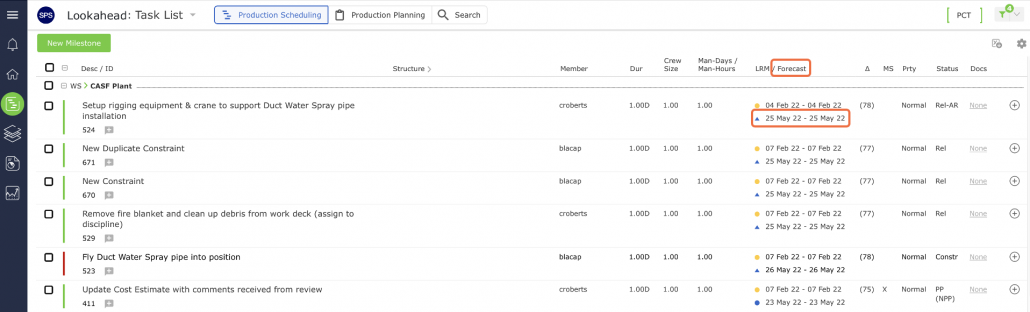
The Start Date for a Milestone is calculated by subtracting the Milestone’s duration according to the applicable calendar from its Finish Date. The Start Date is automatically generated by the Finish date of the Milestone’s predecessor(s) and can be viewed in the Forecast Start column in the Lookahead.
Since the duration of a Milestone is typically zero, the Start Date for a Milestone is usually the same date as the Finish Date. When assigning a Milestone Finish Date, note that if you enter a date, which falls on a non-working day (determined by the default calendar, team / member calendar, and task calendar), the Finish Date will automatically default to the previous working day.