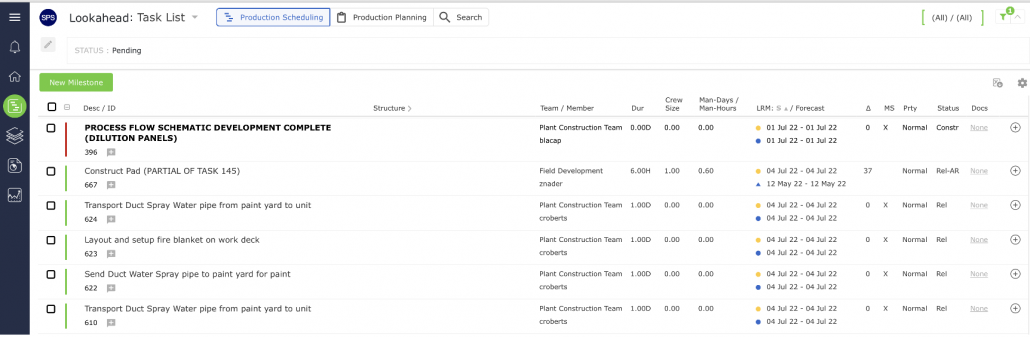
To create a new Production Schedule in the Lookahead view, start by inserting a Milestone. If you are revising an existing Production Schedule, you may need to insert a new Milestone / Task.
A Milestone / Task is created using the same steps and attributes. Any Milestone can be turned into a task by specifying another task as its successor. However, this linking is prohibited for a Master Level Milestone as it represents the end of a workflow, so it has no successor tasks and serves as the basis for determining Last Responsible Moment (LRM) dates for a workflow.
To create a Milestone / Task from the Lookahead: Task List view, complete the steps below:
From the Main Navigation Bar select the Lookahead, then select New Milestone.
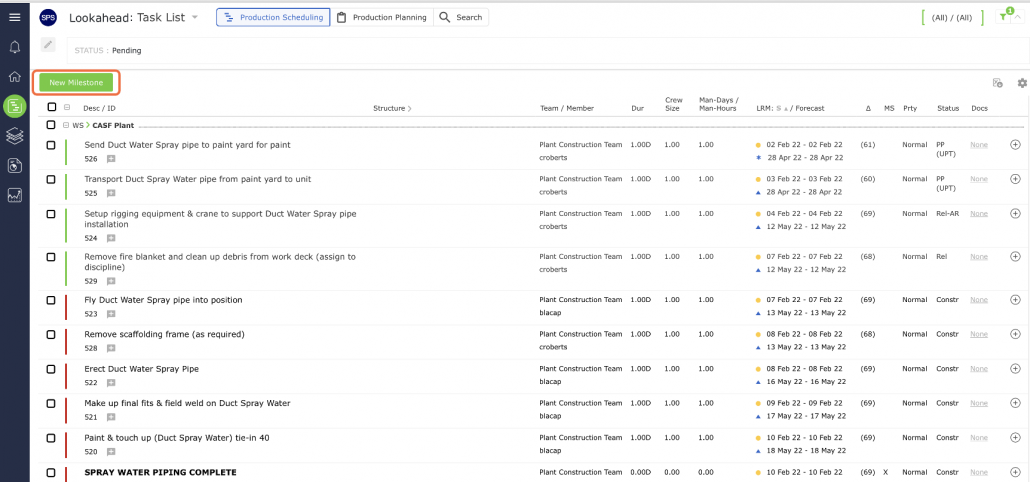
The Insert New Milestone window opens as shown in the image below.
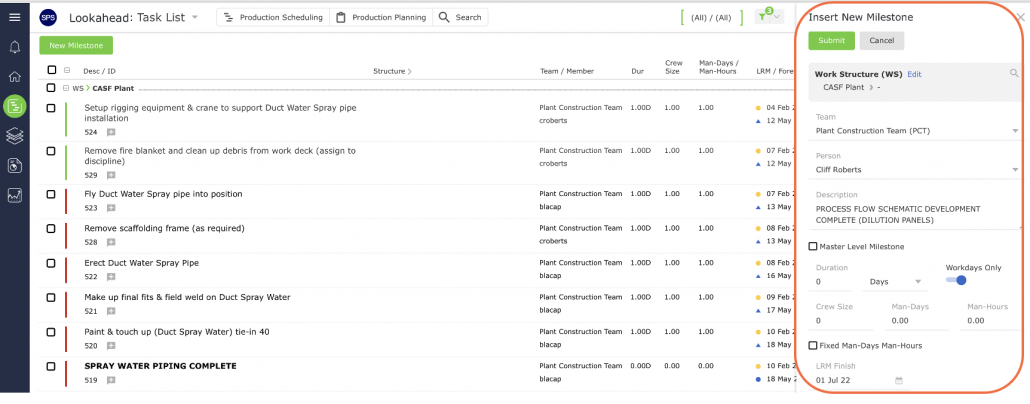
Enter the Milestone / Task attributes in the Insert New Milestone window using the guidelines in the table below. If the Milestone is a Master Level Milestone (a major milestone) that will be used to measure progress in the Analytics reports, check the corresponding box.
Note: SPS|PM’s base configuration includes the Work Structure, however, two additional structures are available for use and can be turned on based on work complexity. Contact your System Administrator to discuss the use of the two additional structures.
| Parameter | Description |
|---|---|
| Work Structures | Select values for levels 1-7 of the Work Structures according to the defined Work Structures for your specific project |
| Team / Member | Team and member who will own and complete the Milestone / Task |
| Description | Start the description of the task activity with a verb such as ‘Install,’ ‘Develop,’ ‘Formulate,’ ‘Fabricate,’ Approve,’ etc. Description should be specific and a measurable quantity, preferably no greater than the Planning Horizon (e.g., one day, one week, etc.) to facilitate the Production Planning Process Level of detail should represent measurable hand-off to the successor activity |
| Duration | Estimated length of time task will take to complete |
| Forecast Start | Default is based on a ‘Continuous’ Workflow in order to minimize Work-In-Process; other options used are when tasks need to start at a different points to implement different type of control protocol (see section Task Dates for more information) |
| Schedule Reference | Used to displays the reference to any external scheduling system or objectives. If not assigned, SPS|PM assigns a default value |
| Priority | Default set as ‘Normal,’ other options include ‘Low and ‘High’ |
| Workdays Only | Check ‘Workdays Only’ if the task will only be completed according to the team’s (or member’s or task’s calendar, if enabled) |
When finished entering the Milestone / Task attributes, click the Submit button. The Milestone / Task will appear in the Lookahead: Task List view.