Because Production Planning forms the basis for production optimization by applying Root Cause Analysis to identify opportunities for improvement cases, it is critical that accurate root cause information is entered for non-completed tasks. It is sometimes necessary, however, to correct or update the root cause information for a non-completed task after the Current Production Plan is closed. For example this can occur through discovery during a Performance Improvement session. Or it can occur when additional investigation is performed that yields a different finding or more refined root cause information.
Note: Only individuals with Team-Level Access can perform this function.
To correct or edit root cause information for non-completed tasks on a closed Production Plan complete the steps below:
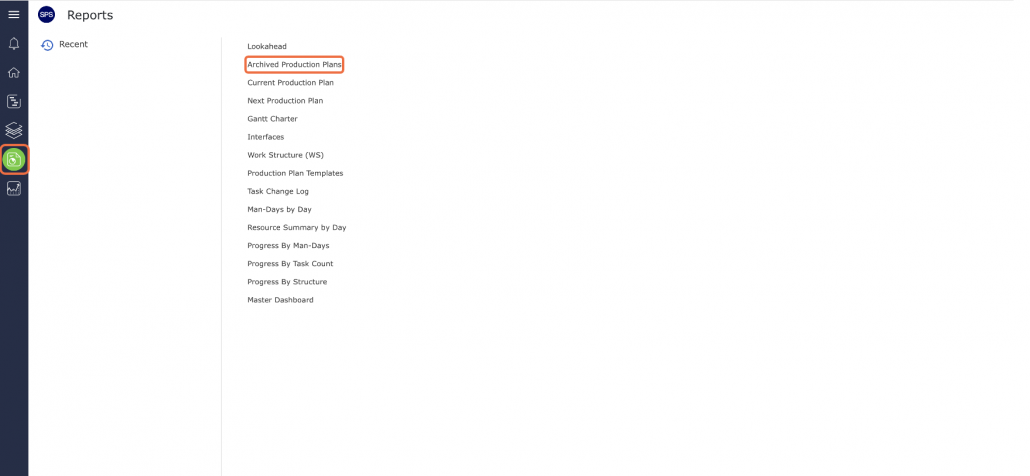
- From the Main Navigation Bar select the Reports, then select Archived Production Plans.
- When the Archived Production Plans window opens, it shows the most recently archived Production Plan for the team selected under the Team Menu. The report data can also be filtered to view other teams or subset data of the current team, using the filters or sorting by any of the underlined column headings.

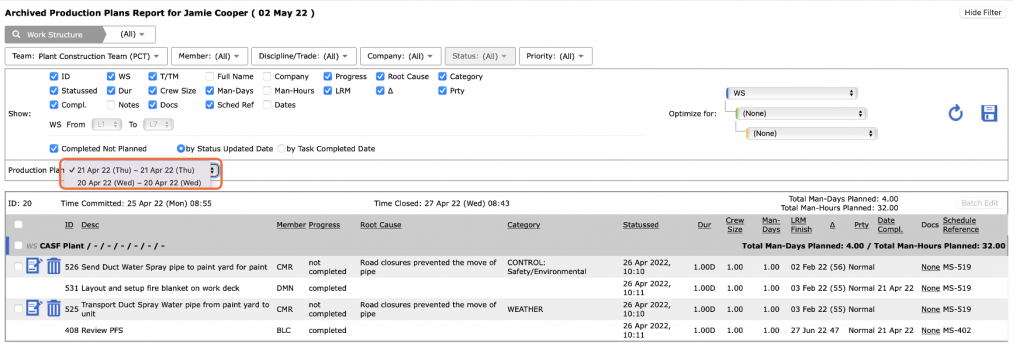
- Once the correct team is selected, choose the desired Archived Production Plan from the Production Plan drop-down, based on the start and end dates for the plan.
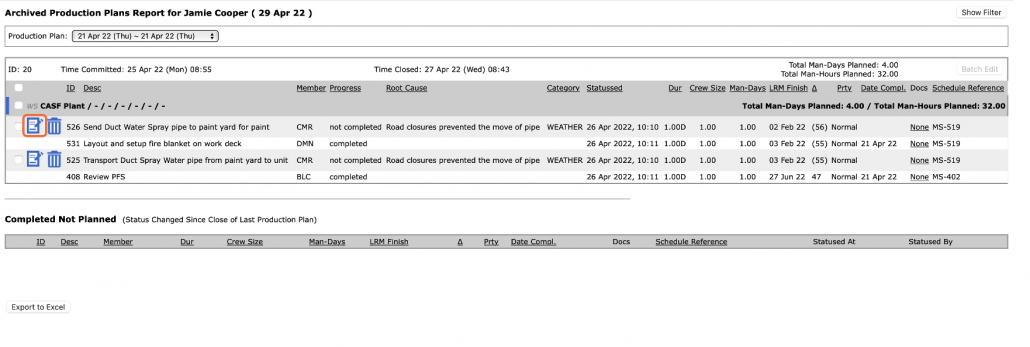
Locate the desired Non-Completed Task and click on the Edit Task icon. Only Level 5 users will be able to perform this function.
Note: Clicking the Edit Task icon for a Completed task will only allow you to update the values under the Act. Dur. (Actual Duration) column.
- Revise the applicable Root Cause, Category, and information.
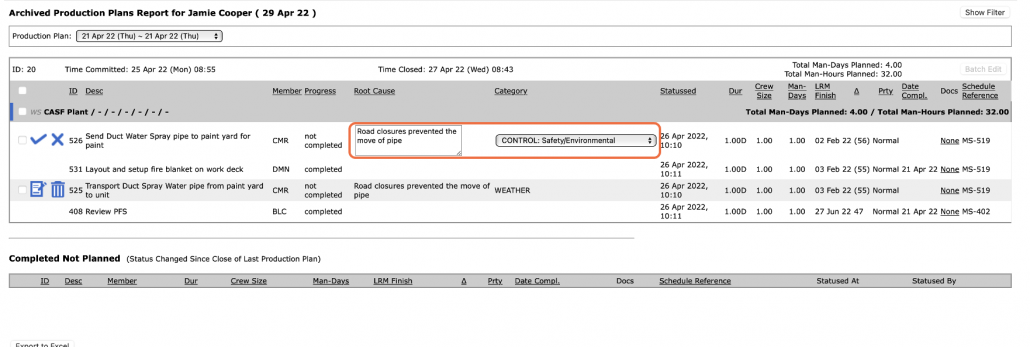
- When all edits are complete, click the Confirm Edit icon to save the changes, or to discard changes and revert to the original information, click the Discard Edit icon.
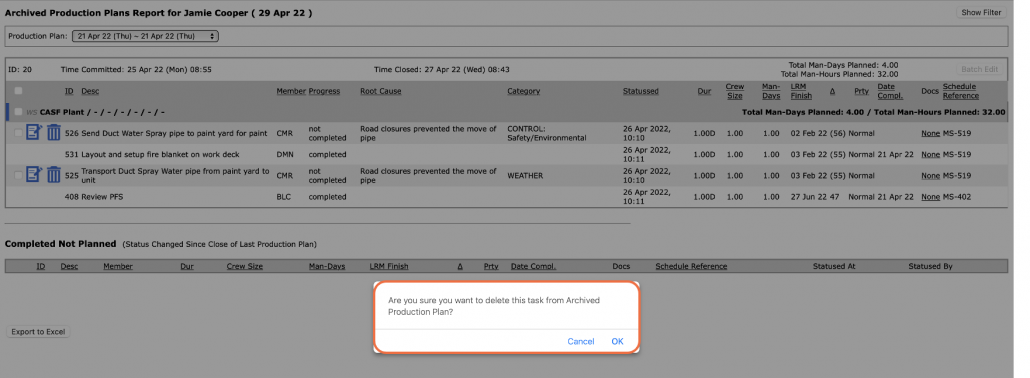
- The Delete Task icon should rarely be used as it will completely remove a task from the Archived Production Plan and it cannot be added back. In cases where a task is deleted from the Archived Production Plan, it will remain present in the Lookahead. To safeguard against accidental deletion, a confirmation pop-up appears, to ensure the selected action is correct.