
Constraints analysis and task dependency are the core of effective Production Scheduling. Any task is simply an item of work with a specified duration, for which a single person is responsible. Within SPS|PM, two tasks are connected by a dependency relationship when work on one task cannot begin before all work on the other task has been completed. The dependent task is known as a successor, while the “providing” task is a predecessor or constraint.
Inserting a constraint adds a direct predecessor to any existing Milestone or task. To insert a constraint task, complete the steps below:
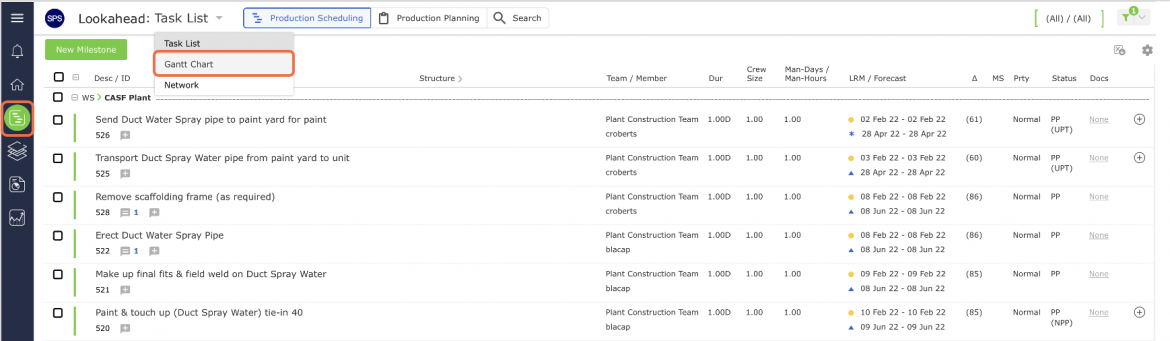
- From the Main Navigation Bar select Lookahead, then select Gantt Chart from the Lookahead drop-down list.
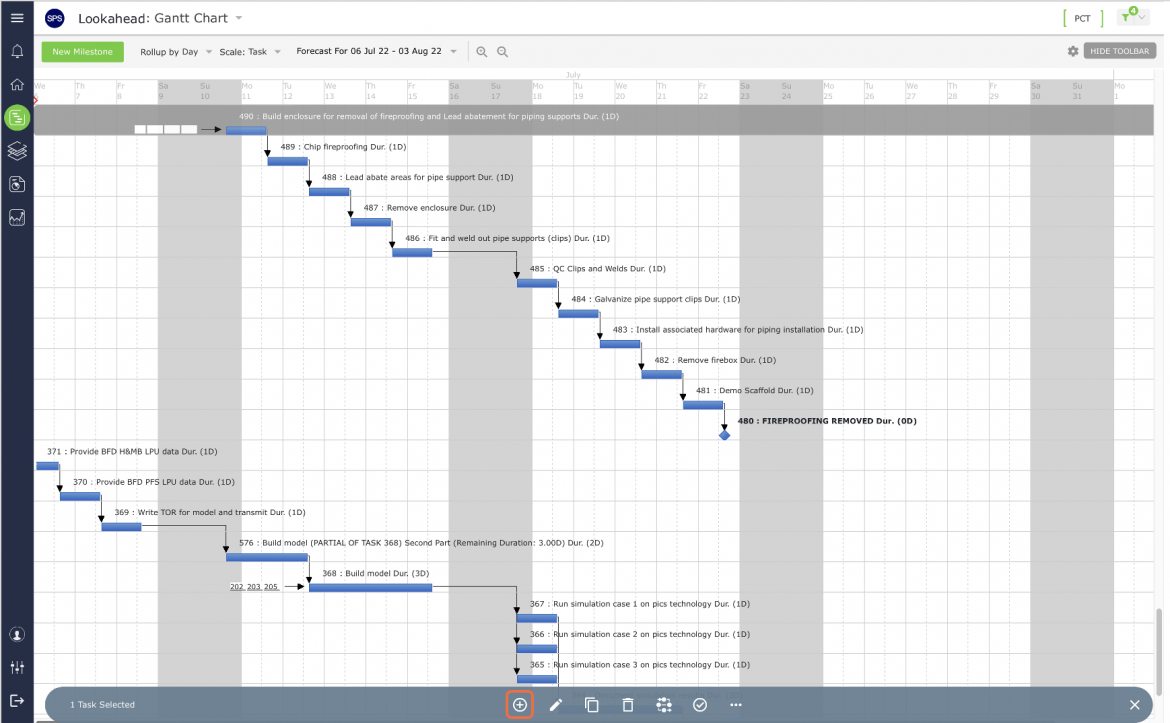
- Select the Milestone / Task that you wish to constrain by clicking once anywhere on the Milestone / Task row. Once selected, the task row will display a gray background. Then click the Insert New Constraint control on the floating toolbar.
- Continue by following Steps 3-4 in Insert New Milestone. By default, the Forecast Start will be set to ‘Calculate Forecast Start based on Predecessor’s Forecast Finish (“Continuous” Workflow)’. See Forecast Dates in the Task Dates section for information on Forecast Start.
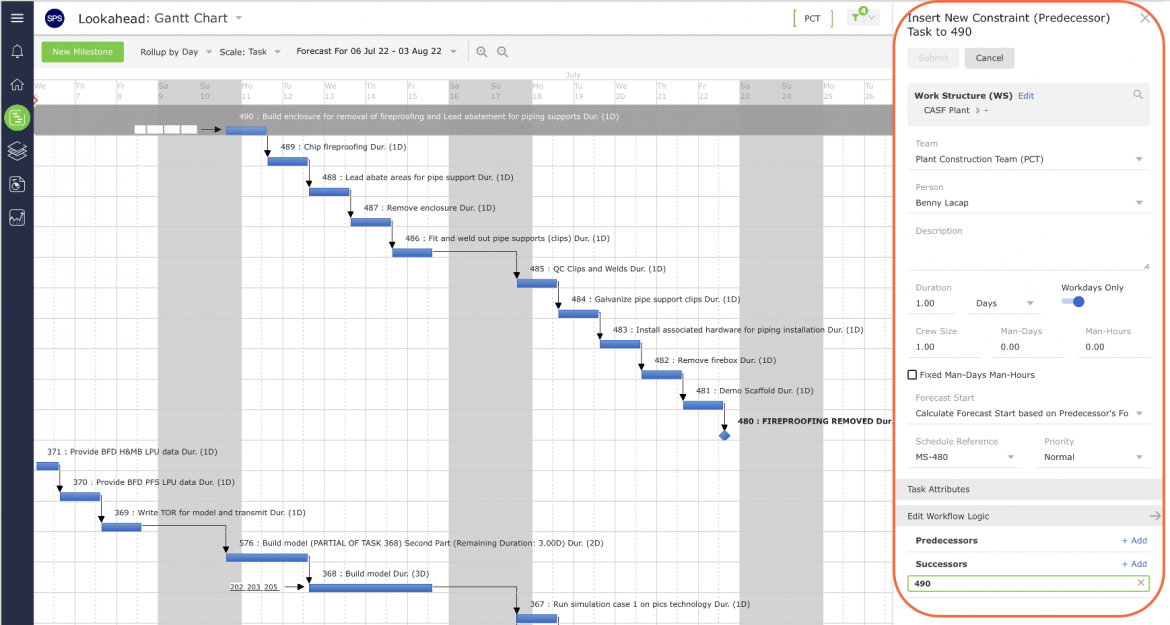
- When finished entering the new constraint task attributes, click the Submit button. The constraint task will appear in the Lookahead (Gantt Chart) view.