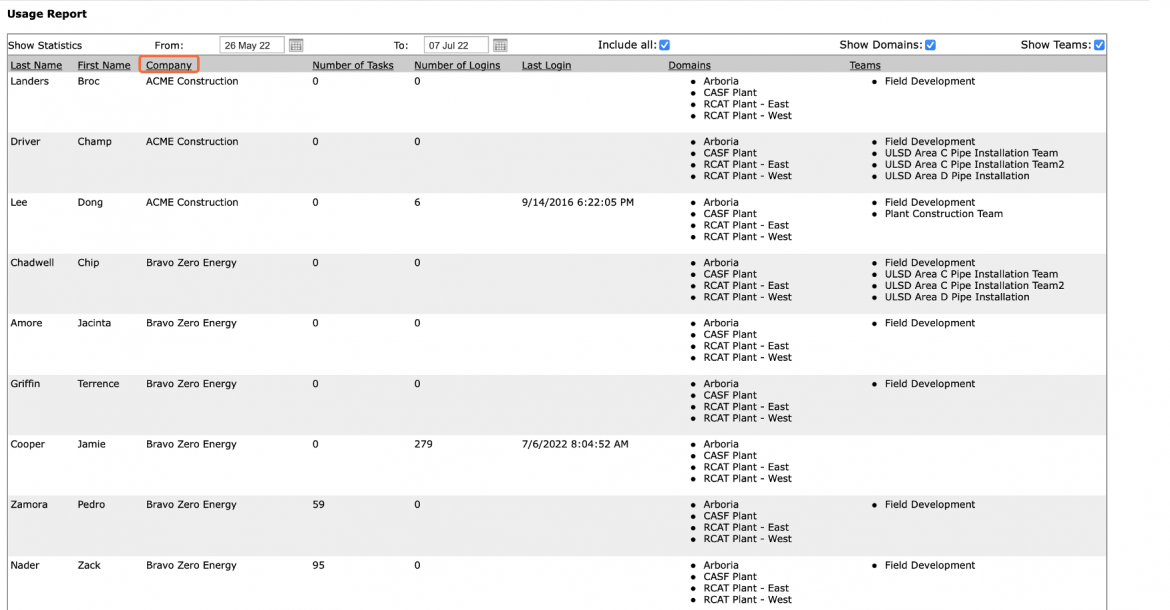
Visibility of how SPS|PM is used by registered users is important to ensure commitment to Project Production Control processes and rules and to develop competency in using SPS|PM.
The Usage Report function provides the ability to view task allocation per user as well as access records of login activity. SPS|PM does this by enabling you access to a report consolidating the total number of assigned tasks and historical login data.
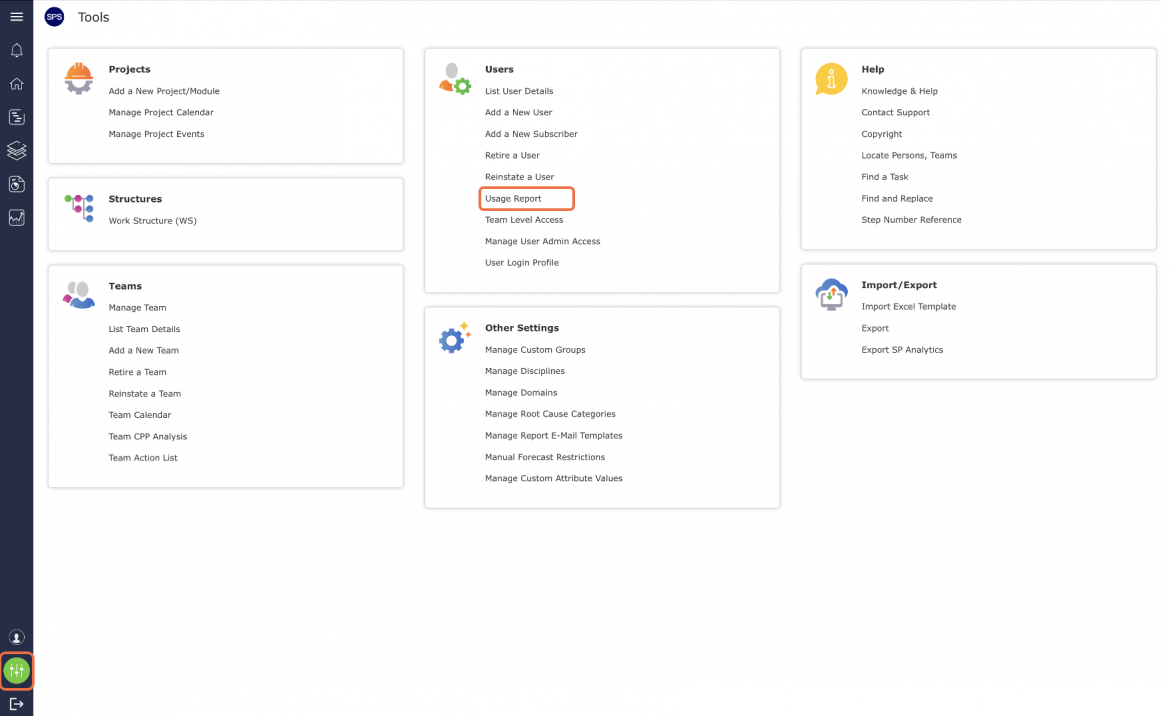
To access the Usage Report in SPS|PM, complete the steps below:
- From the Main Navigation Bar select Tools, then select Usage Report.
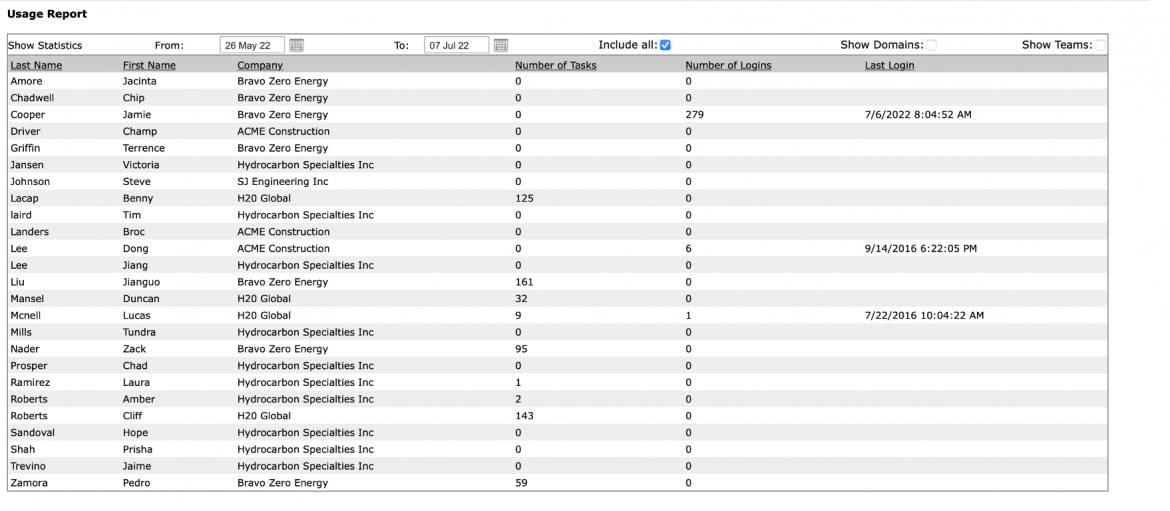
- The Usage Report window opens and automatically displays SPS|PM usage information with the default range of Include All to show all historical data.
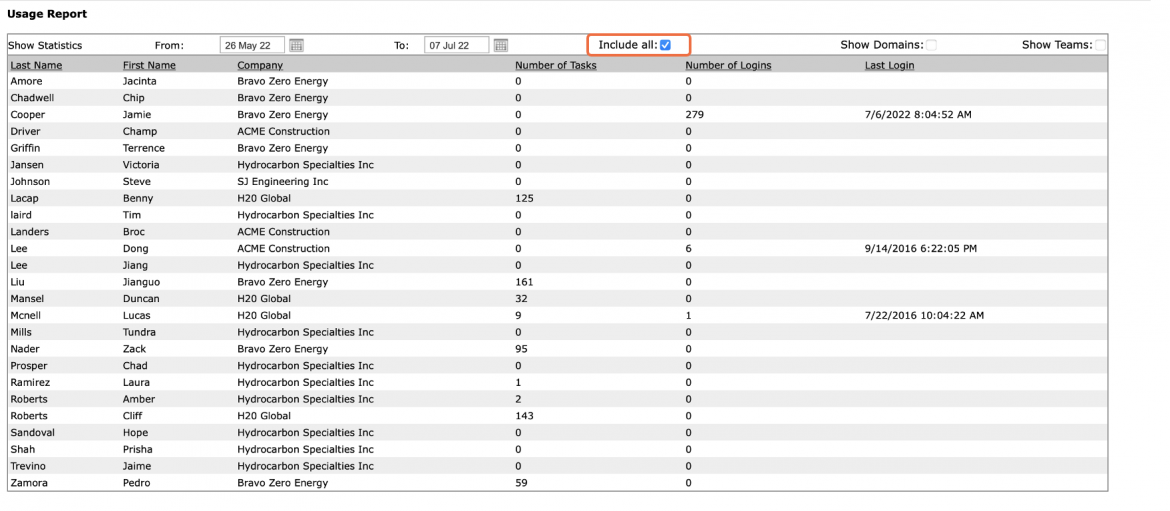
- If a specific date range is desired, deselect Include All and adjust the From and To dates.
- Usage Report displays the members of all teams in the Domain and their total number of assigned tasks, the total number of logins, date / time of their last login, and the domains and teams the member are associated with.
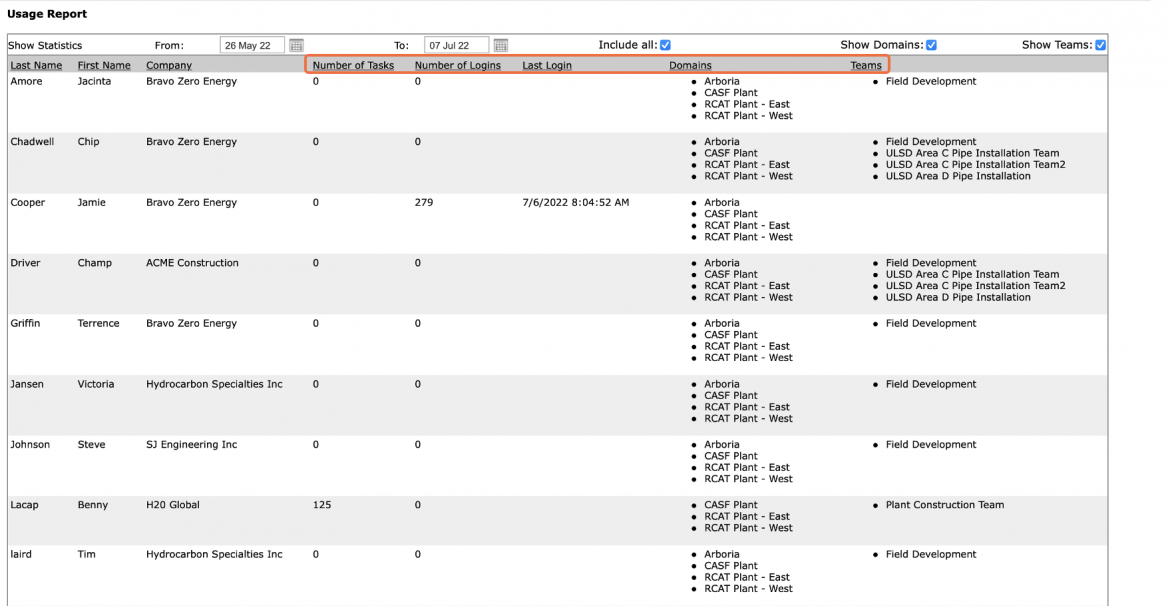
- Each underlined header can be used to sort the Usage Report by clicking the desired header, e.g., sort by company, sort by who has the highest number of logins for the selected time period.