To edit an existing milestone or task in the Lookahead (Gantt Chart) view, complete the steps below:
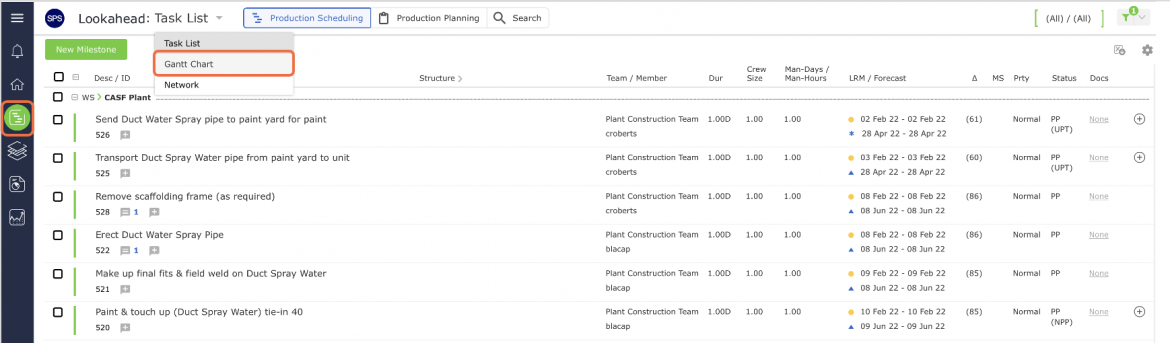
- From the Main Navigation Bar select Lookahead, then select Gantt Chart from the Lookahead drop-down list.
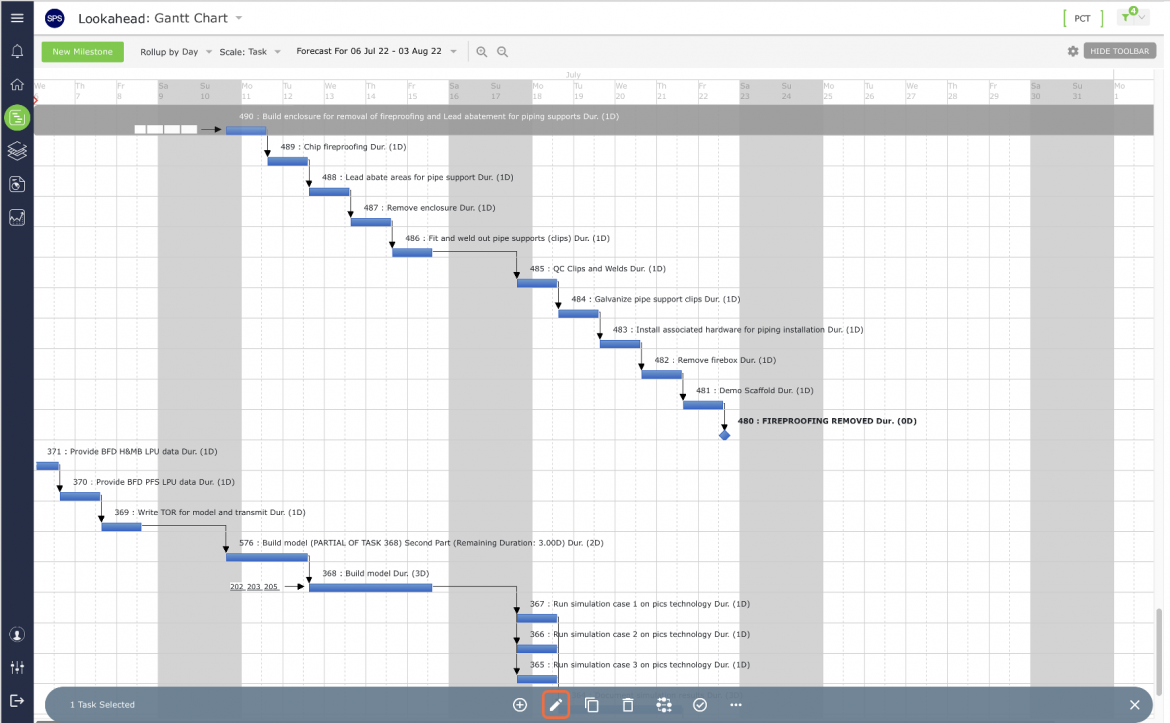
- Select the Milestone / Task that you wish to edit by clicking once anywhere on the Milestone / Task row. Once selected, the task row will display a gray background. Then click the Edit Task control on the floating toolbar.
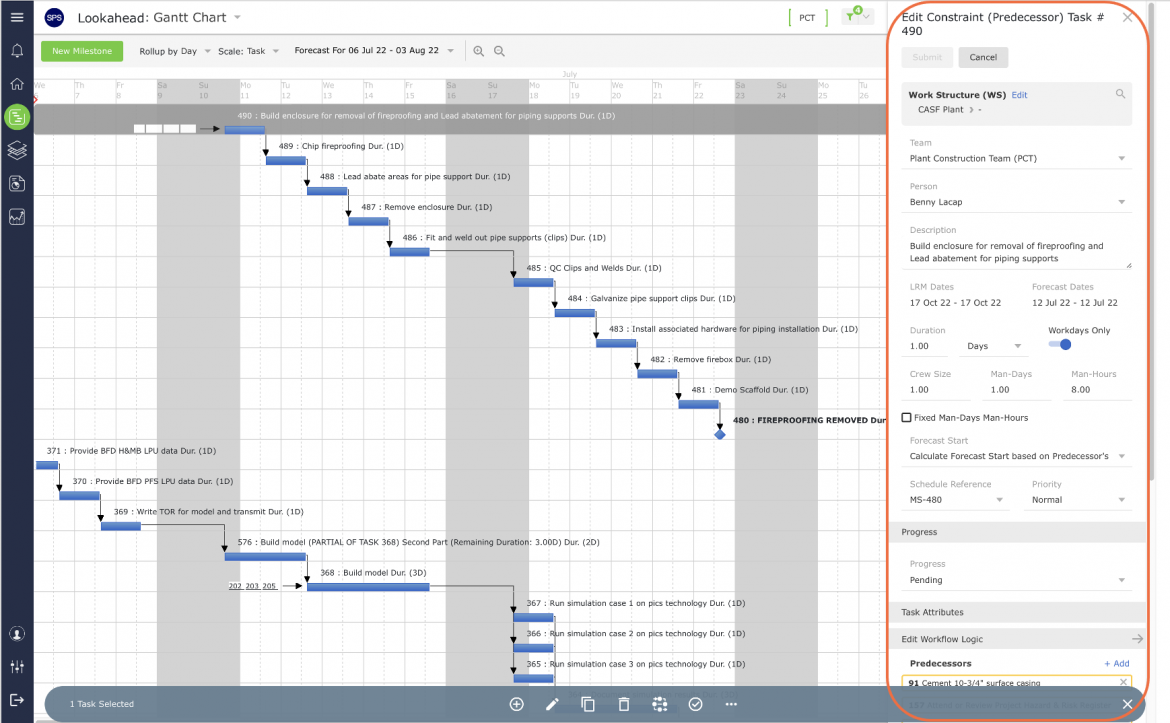
- Once the Edit Milestone / Edit Constraint (Predecessor) Task window is open, you can modify any of the Milestone / Task attributes using the drop-downs and / or text boxes (see Insert Milestone / Task, for a description of each of the attributes). Once the correct information has been entered, click the Submit button to save the changes.