
The Current Production Plan report is a tool for viewing and printing the Current Production Plan for a team. This report contains the task description and responsible team members for each task and allows for the selection of many different attributes associated with the work committed through the filters.
To access the Current Production Plan report, complete the steps below:
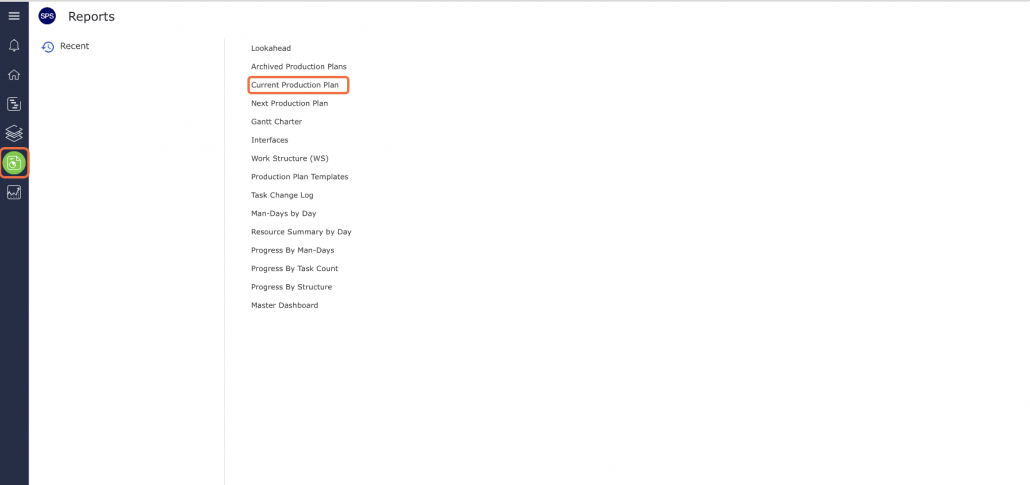
- From the Main Navigation Bar Select Reports, then Current Production Plan.
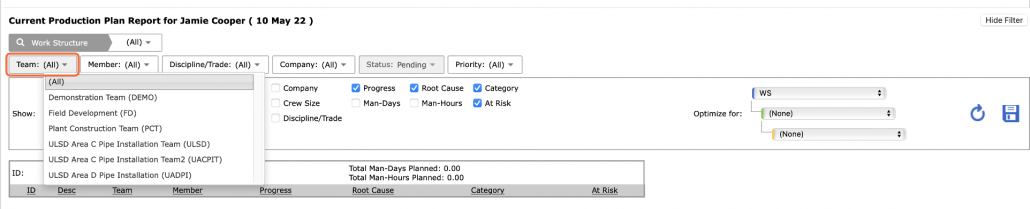
- Select Show Filter to choose a team’s Current Production Plan.

- Select the team from the Team filter
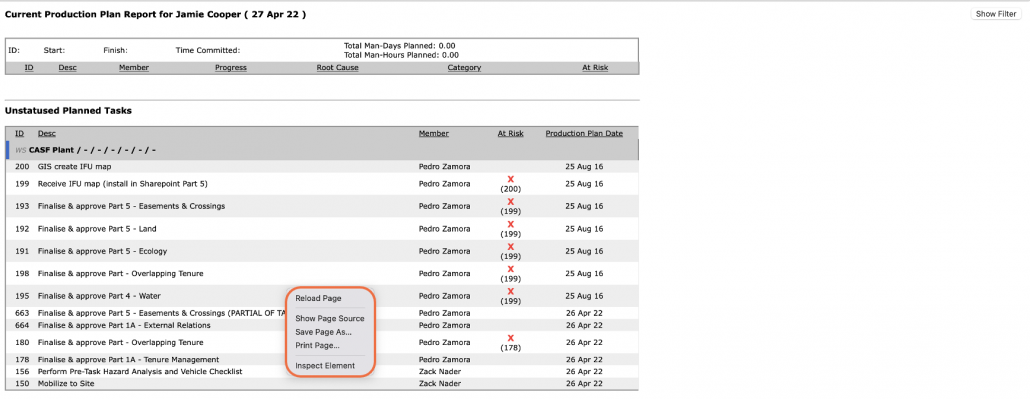
- Unlike the Current Production Plan view, the Current Production Plan Report does not let you status tasks on the Plan, it simply gives you the ability to view and print the current information.
- To print the Current Production Plan report, right-click anywhere on the Current Production Plan report and select the Print option from the menu. A second option is to simultaneously press the Ctrl and P keys on your keyboard.
- The Print Dialogue box opens.
Using the Print Dialogue box, change any desired print settings. Once all relevant print settings have been modified, click the Print button.
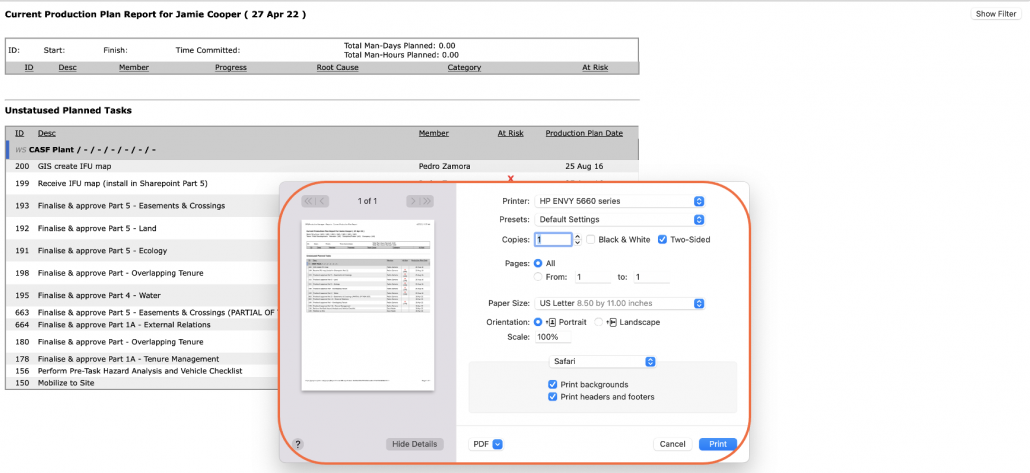
- Note: Before printing the report, it is recommended you confirm whether the report fits the desired paper size.