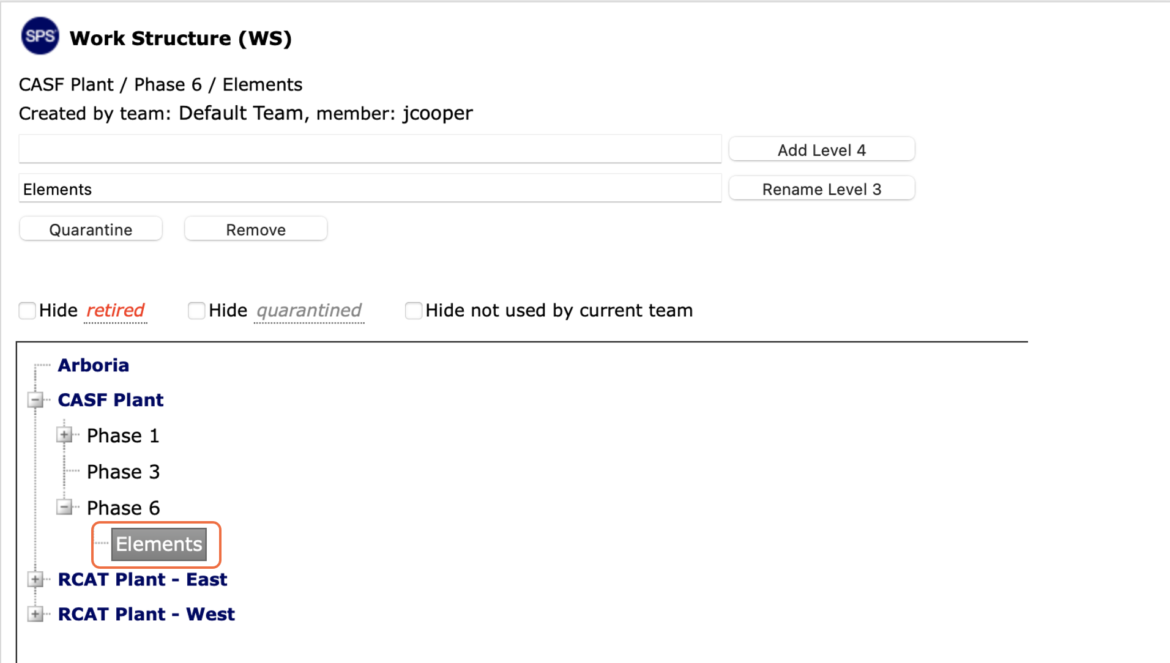
As project complexity is exposed and with the constant evolution of work, Work Structure in SPS|PM must also evolve.
SPS|PM provides the ability to reflect this evolution through the Work Structure edit functionality.
To edit Work Structure in SPS|PM, complete the steps below:
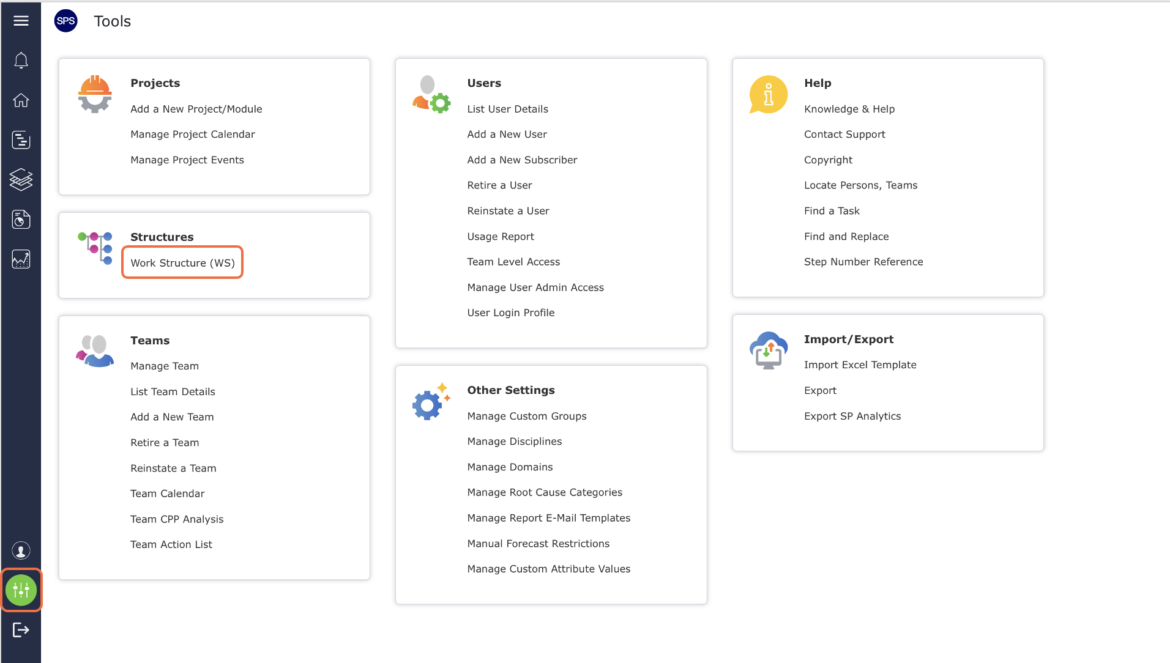
- From the Main Navigation Bar select Tools, then select Work Structure (WS).
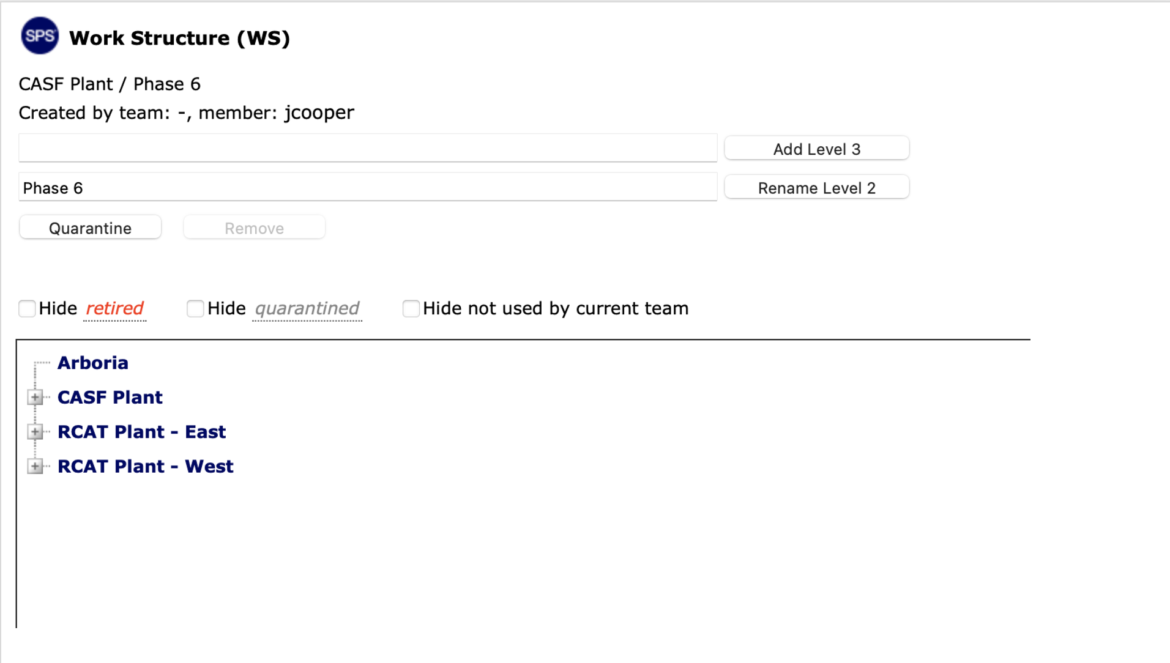
- The Work Structure (WS) window opens and displays all existing Work Structure.
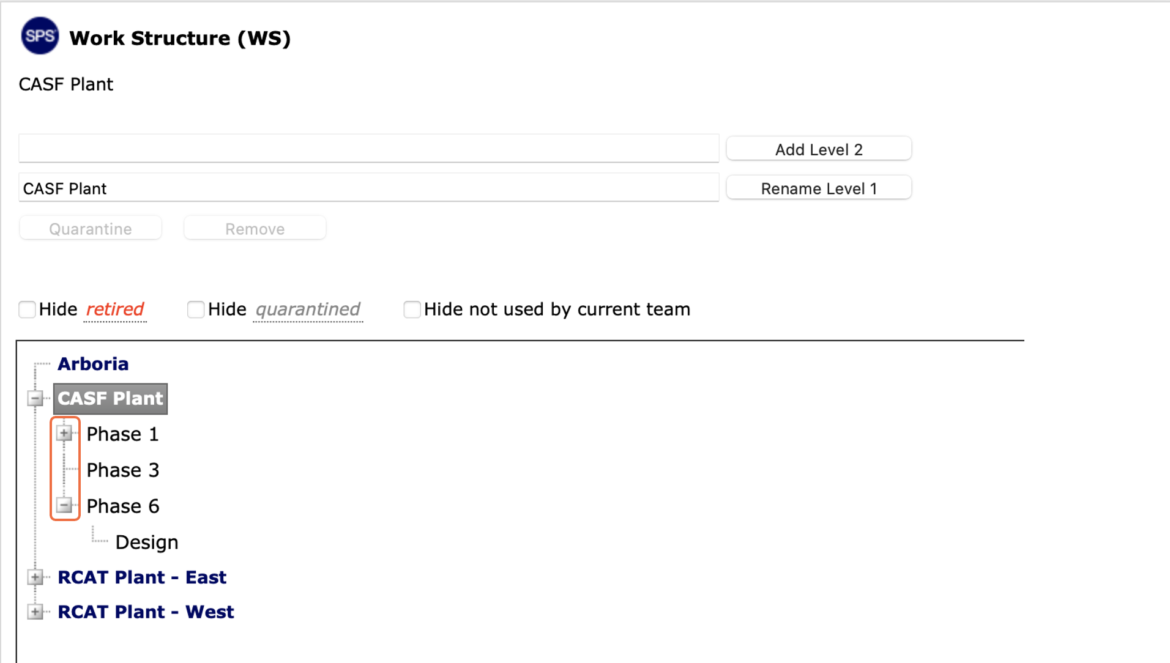
- Locate the Work Structure to be edited by clicking the Expand (+) button and Collapse (-) button next to the desired Level to view / hide Levels.
- Select the desired Work Structure to be edited, by clicking once on the Work Structure. Once selected, the Work Structure will display a reverse gray background and the Level title displays in the Rename Level X field.
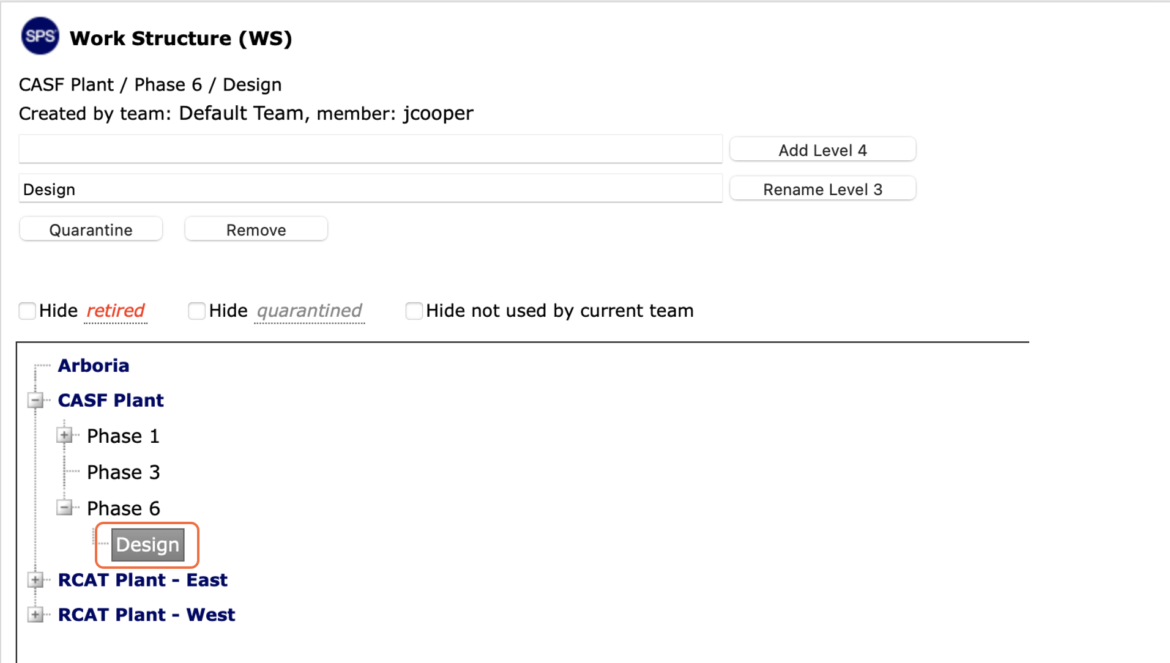
- Enter the desired new Work Structure in the Rename Level X field and click the Rename Level X button.
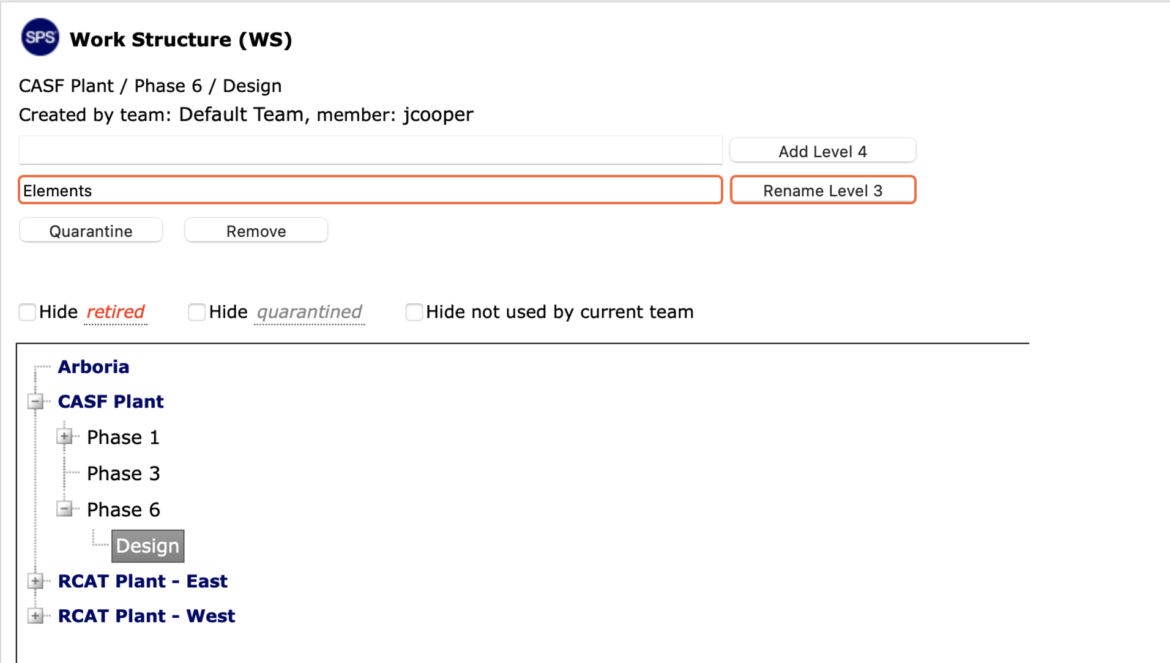
- The revised Work Structure displays in the Work Structure window and in the Rename Level X field.