
When a team creates Production Plans, they need to decide whether they create a Plan today for today or for tomorrow. Each team will have the ability to configure this parameter using the Change Production Plan Start Day function within Manage Team, under Teams.
To change the Production Plan Start Day for a given team, complete the steps below:
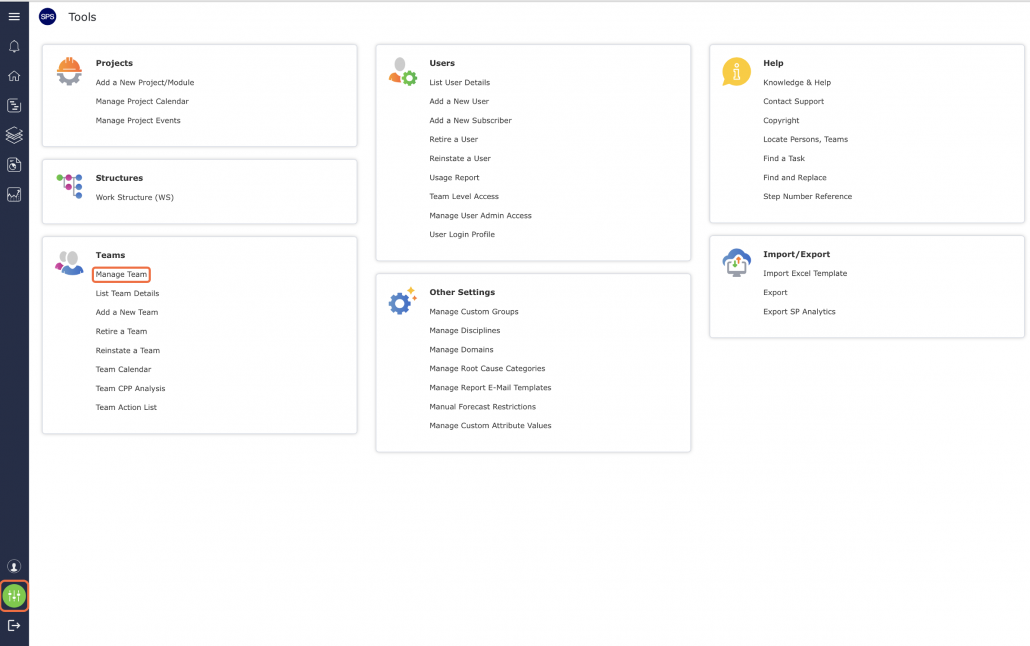
- From the Main Navigation Bar select the Tools and then select Manage Team.
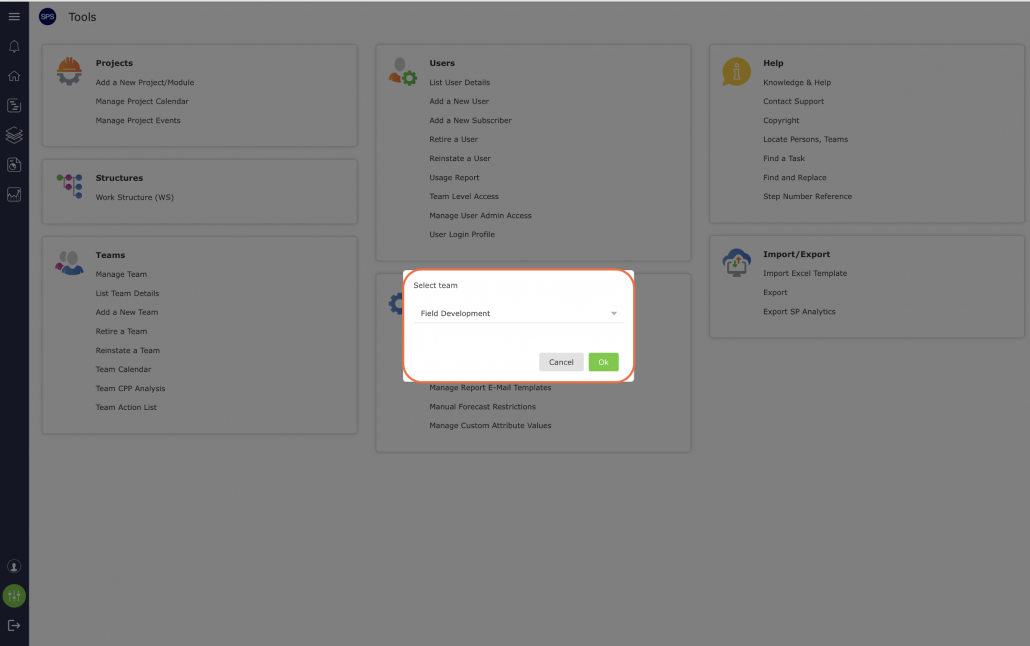
- Select the desired team from the drop-down as shown below.
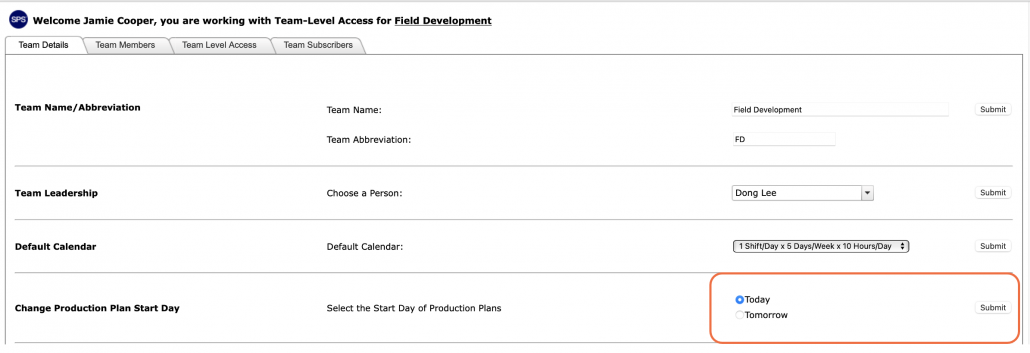
- On the Team Details tab, scroll to Change Production Plan Start Day. Select the desired start of Today or Tomorrow and click the Submit button.
- An alert pop-up, advising you of the potential impact on the Next Production Plan, click the Close button and the Production Plan Start Day is updated.
