
To edit a Milestone / Task in the Network Manager view complete the steps below:
- Open the Network Manager as shown in Steps 1 – 4 of Insert Milestone / Task.
- Select the Milestone / Task you want to edit by double-clicking once on its shape and the Edit Constraint (Predecessor) Task window opens.
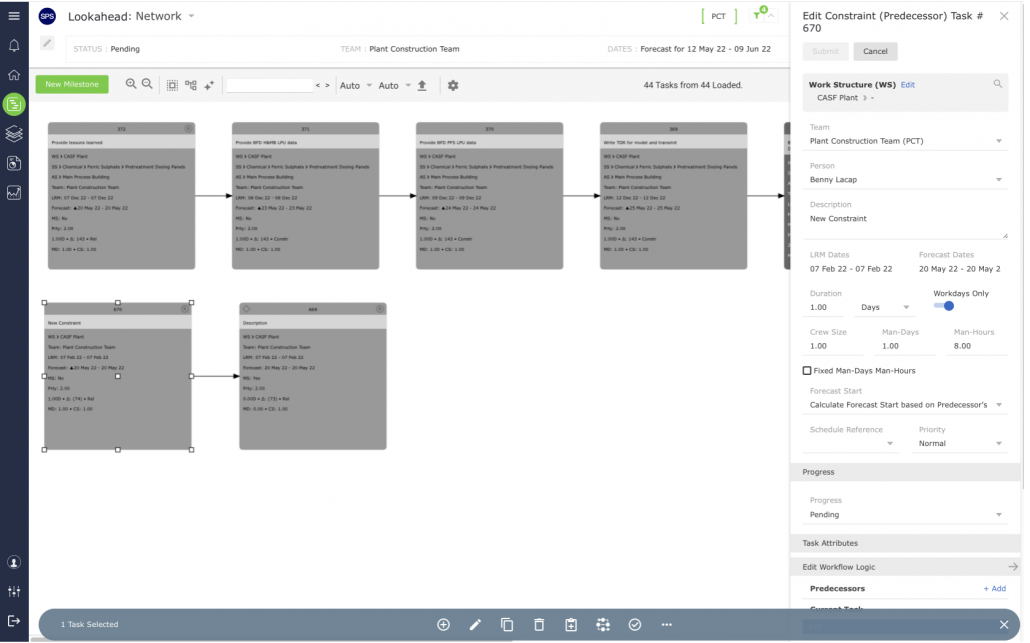
- Modify any of the Milestone / Task attributes using the drop-downs and / or text boxes (see Insert Milestone / Task, for a description of each of the attributes). Once the correct information has been entered, click the Submit button to save the changes.