
To ensure that the execution of work contributes to achieving the completion of milestones on time, the actions of those responsible for executing work must be in accordance with schedule requirements, including Last Responsible Moment (LRM) dates, batch size, sequence, and resource use (capacity, inventory and time). Project Production Control uses Production Planning to ensure that those responsible for work execution effectively commit capacity allocation based upon priorities driven by LRM dates.
Production Planning enables the identification and coordination of knowledge and craftwork through the creation and updating of Production Plans. Teams ensure work is ready for execution through constraint analysis and then measure how reliable their commitments are (Commitment Reliability) for a given Planning Horizon. When combined with a Performance Improvement process, Production Planning forms the basis for production optimization by applying Root Cause Analysis to identify improvement opportunities.
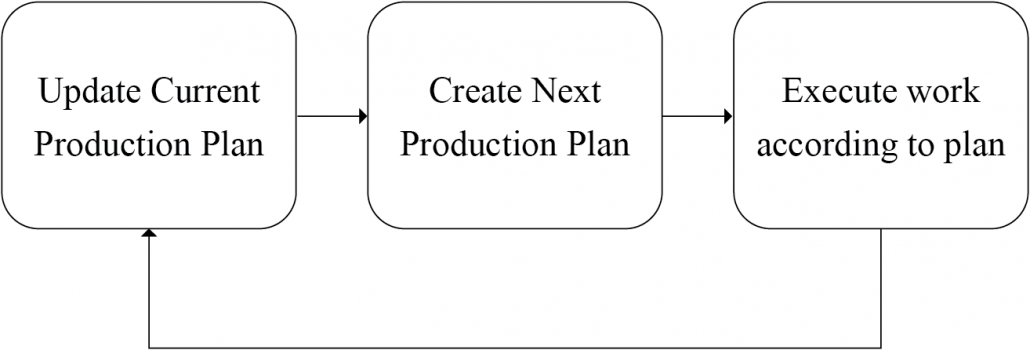
The Production Planning process incorporates three key steps: 1) update the current Production Plan, 2) create the next Production Plan, and 3) execute work according to the Plan as shown in the image below. This process works independently of the Planning Horizon selected (e.g., daily, weekly, etc.).
This section details each key step and explains how to use SPS|PM to support the Production Planning process, including how to:
- Create and view a current Production Plan
- Update the status of tasks in the current Production Plan and capture reasons for task non-completion
- Close out a Plan
- Load tasks on the next Production Plan
- Commit the next Production Plan
- View and edit Root Cause for non-completed tasks in archived Production Plans