
To insert a standard process from the Lookahead (Gantt Chart) view, complete the following steps:
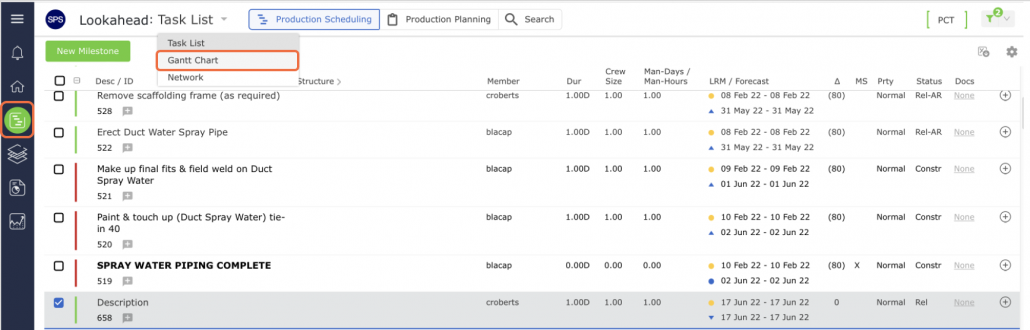
- From the Main Navigation Bar select Lookahead then select Lookahead (Gantt Chart).
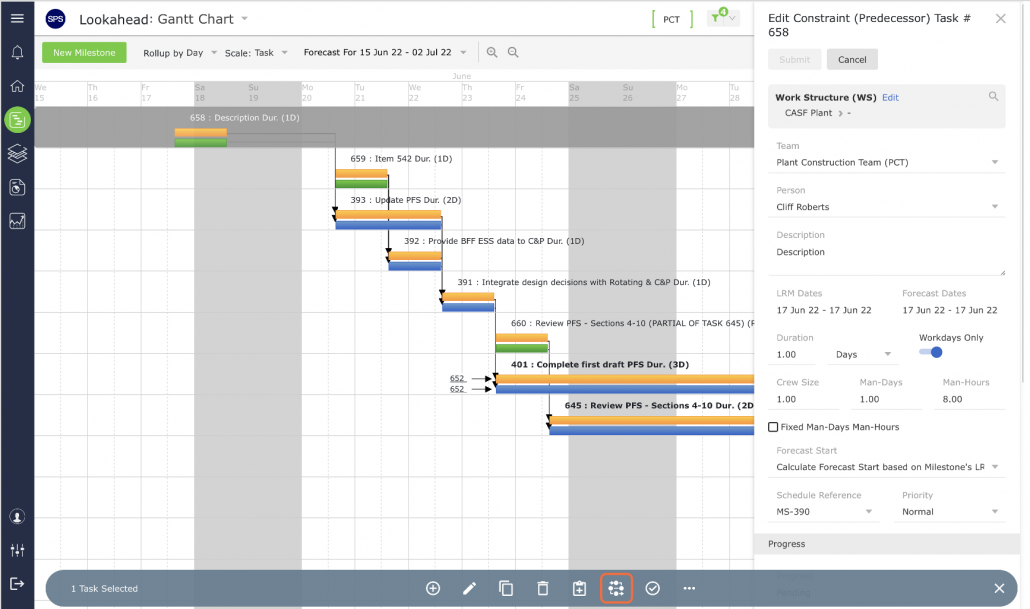
- Select the Milestone / Task that you desire to attach to, or explode with, the standard process by clicking anywhere on the Milestone / Task row. Once selected, the task row will display a gray background. Click the Attach a Standard Process control.
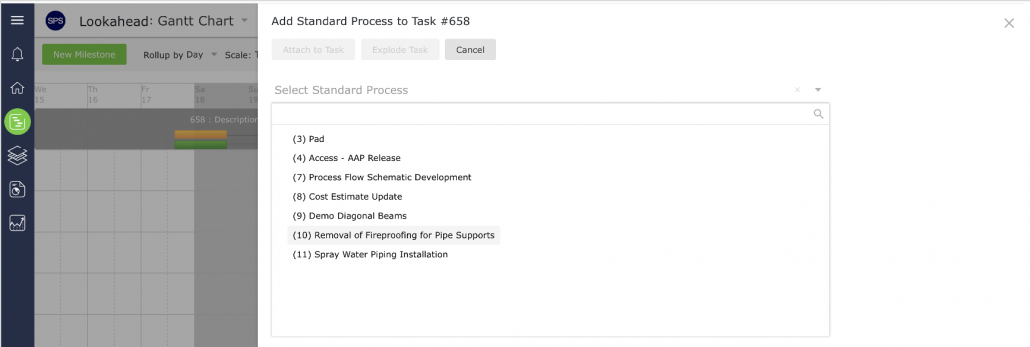
- In the Add Standard Process window, locate the desired standard process from the list under Select Standard Process region by clicking once on the standard process title. Once selected, the standard process title will display a blue background.
If the standard process you are looking for is not listed, it is likely due to the process being in an off-line state. A process must be in an on-line state in order to be inserted into the Lookahead (Gantt Chart). See Take Process Off-line / Put Process On-line for details.
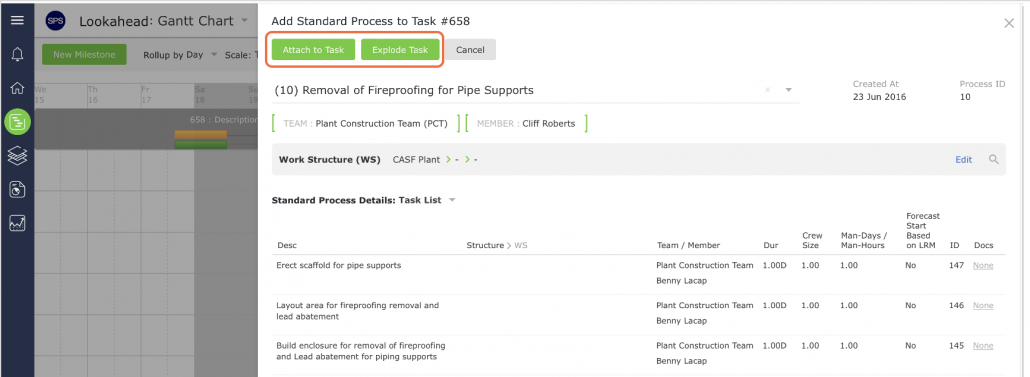
Above the Select Standard Process section, you can access functions to modify the Work Structure and the team / member responsible for the standard process. By default, all tasks in the standard process share the same Work Structure as the Milestone. The responsible team and members also default to that of the Milestone unless they are specifically different in the Standard Process.
- Review the Work Structure and if not already defined in the standard process, the team and members. Modify the structures and the team / member responsible for the standard process as necessary. After the standard process is inserted into the Lookahead (Gantt Chart), individual tasks can be edited and reassigned to a different team / member as needed as detailed in Edit Milestone / Constraint Task.
- Once the desired standard process is selected and all attributes have been confirmed or modified, you can choose to either attach or explode the selected Milestone / Task in the Lookahead (Gantt Chart).
- In the confirmation pop-up, click the OK button if you want to proceed with the selection (attach or explode). If you do not want to proceed, click the Cancel button.
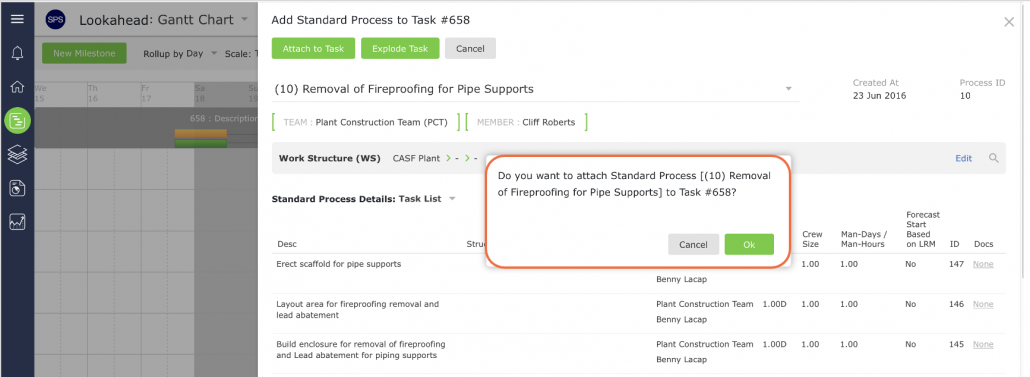
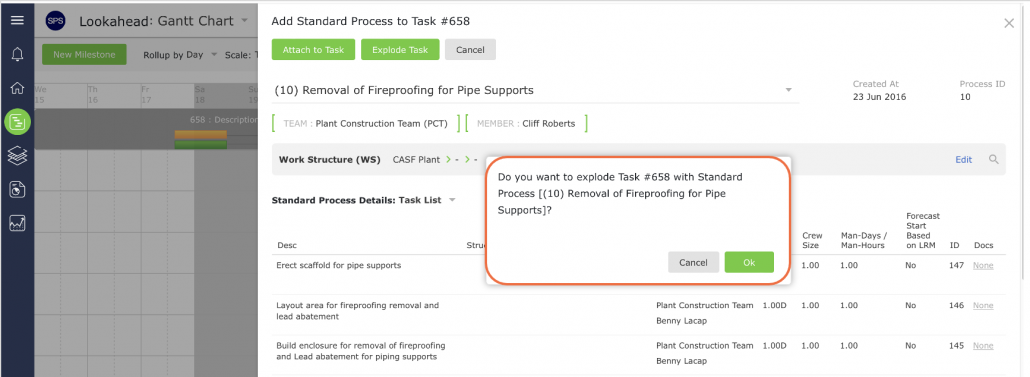
- The standard process will then be inserted into the Lookahead (Gantt Chart).