
The Planning Horizon determines how frequently a team commits to execute work through the creation of Production Plans.
For example, in the case of craftwork (i.e., fabrication, assembly, installation, and commissioning), a Planning Horizon may be set as one day or per shift (i.e., create Production Plans per shift or daily). In the case of knowledge work (i.e., engineering, procurement, and support functions), a Planning Horizon may be set as five days (i.e., create Production Plans on a weekly basis). In either case, a team may experience the need to change its Planning Horizon (i.e., from daily to a shift, or from weekly to daily).
To change the Planning Horizon for a given team, complete the steps below:
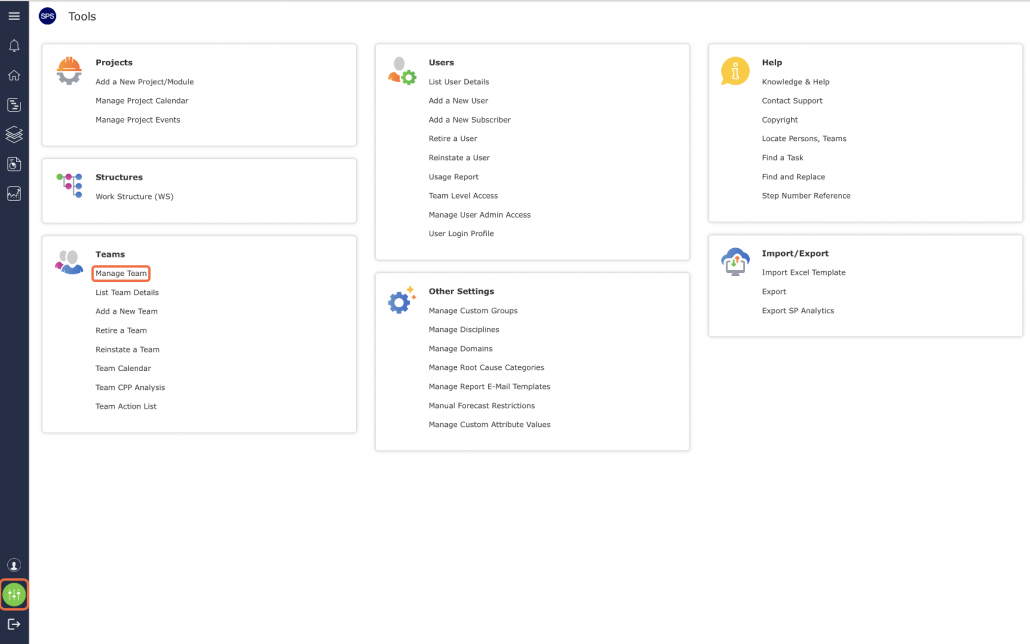
- From the Main Navigation Bar select Tools and then select Manage Team.
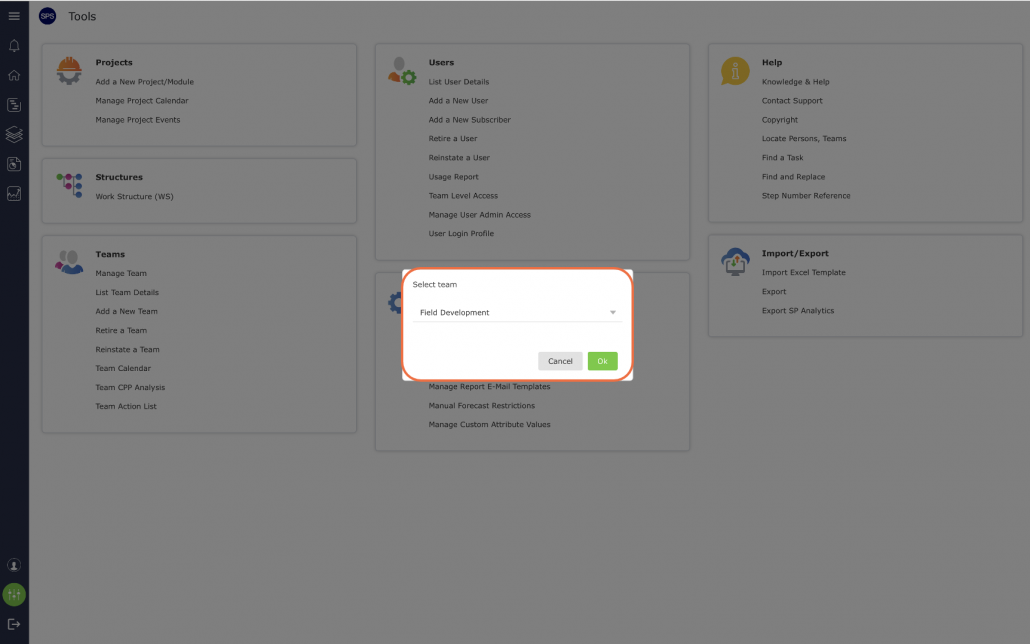
- Select the desired team from the drop-down as shown below.
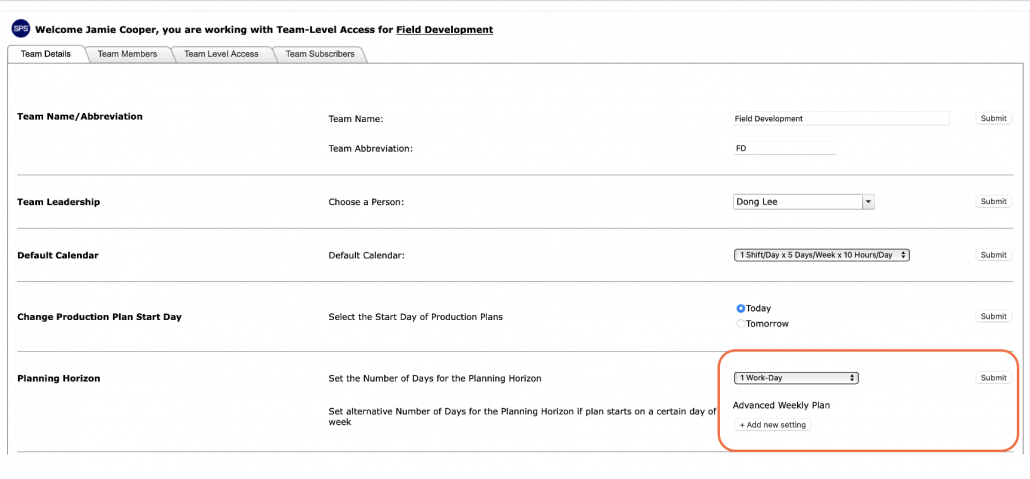
- Once the desired team is selected, the Team Details will open
- Select the desired Planning Horizon from the drop-down and click the Submit button.
- An alert pop-up, advising you of the potential impact to the Next Production Plan, click the Close button and the Planning Horizon is updated.
