
Through the use of SPS|PM, Production Plans can automatically (if enabled) be emailed to those stakeholders selected in the distribution list or any other stakeholder as needed. Production Plan distribution can also occur physically by printing copies of the committed Plans. In either case, Production Plans act as checklists of items needing completion during the Production Cycle and remind those responsible for their execution that completion will be assessed against the committed plan at the start of the next Production Cycle.
In some cases, you may need to retrigger a duplicate Production Plan email to all subscribers.
Note: Team-Level Access is required to perform the retrigger Production Plan function.
To retrigger the Production Plan E-mail complete the steps below:
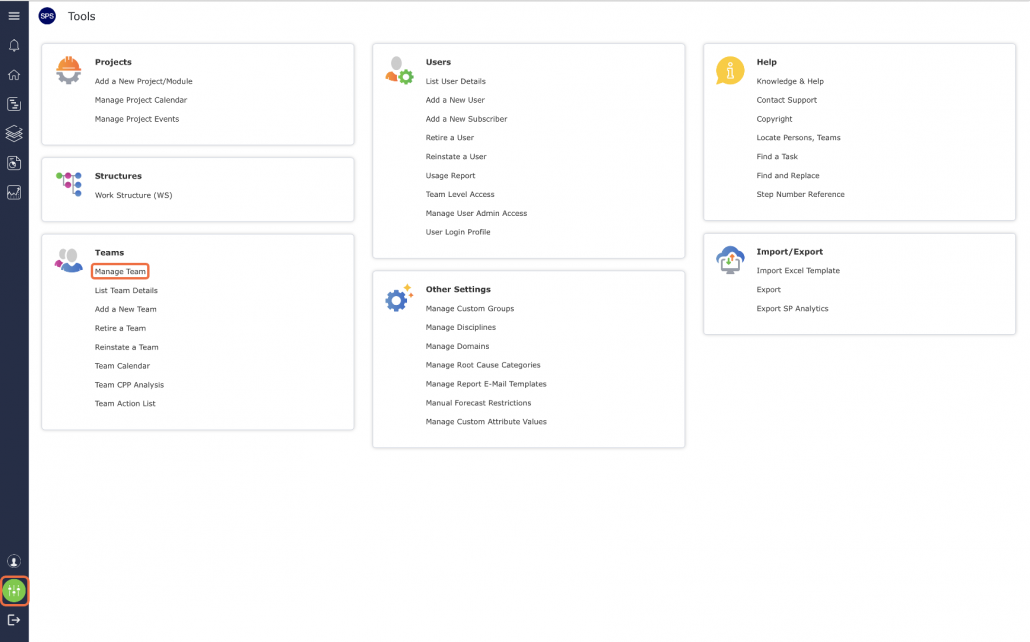
- From the Main Navigation Bar select Tools, and then locate and select Manage Team.
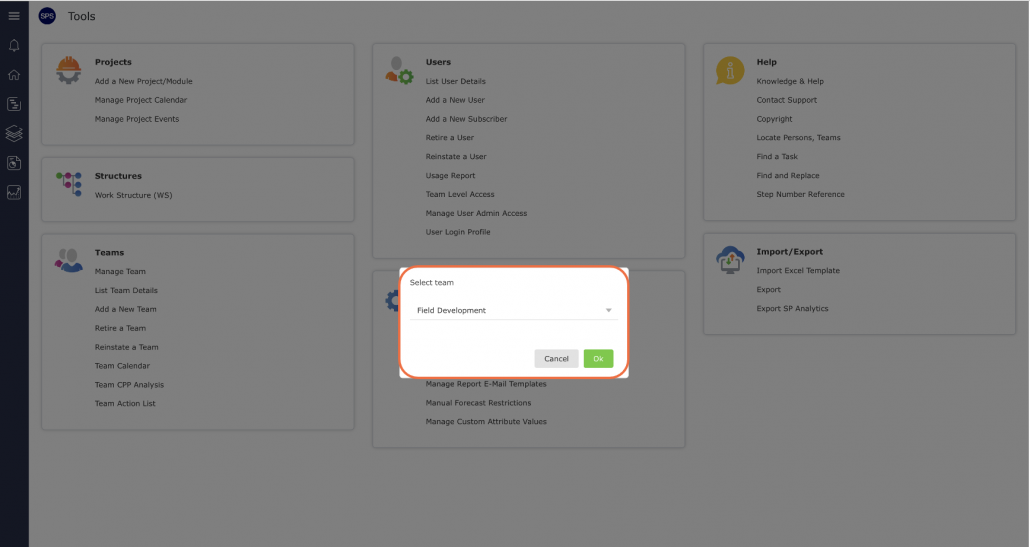
- Select the desired team from the drop-down as shown below.
- Once the desired team is selected, the Team Details tab will open. Scroll to the Current Production Plan E-mail section as shown below.

- The Resend Updated Current Production Plan Email is enabled / disabled when Production Plans are committed on an ongoing basis.
- Select Resend to resend Updated Current Production Plan E-mail.
