Ensuring team members’ understanding and awareness of the work committed to is critical to effective work execution.
The Manage Report E-mail Templates function provides the ability for teams to create customized e-mail templates for the Production Plan Report that SPS|PM auto-emails to team members and subscribers when the team commits its Production Plan. SPS|PM does this by enabling you to select the attributes for the Production Plan Report that provide the most value to the team.
To create a new report e-mail template or modify the attributes associated with an existing template, complete the steps below:
Create Report E-Mail Template
To add a new e-mail template in SPS|PM, complete the steps below:
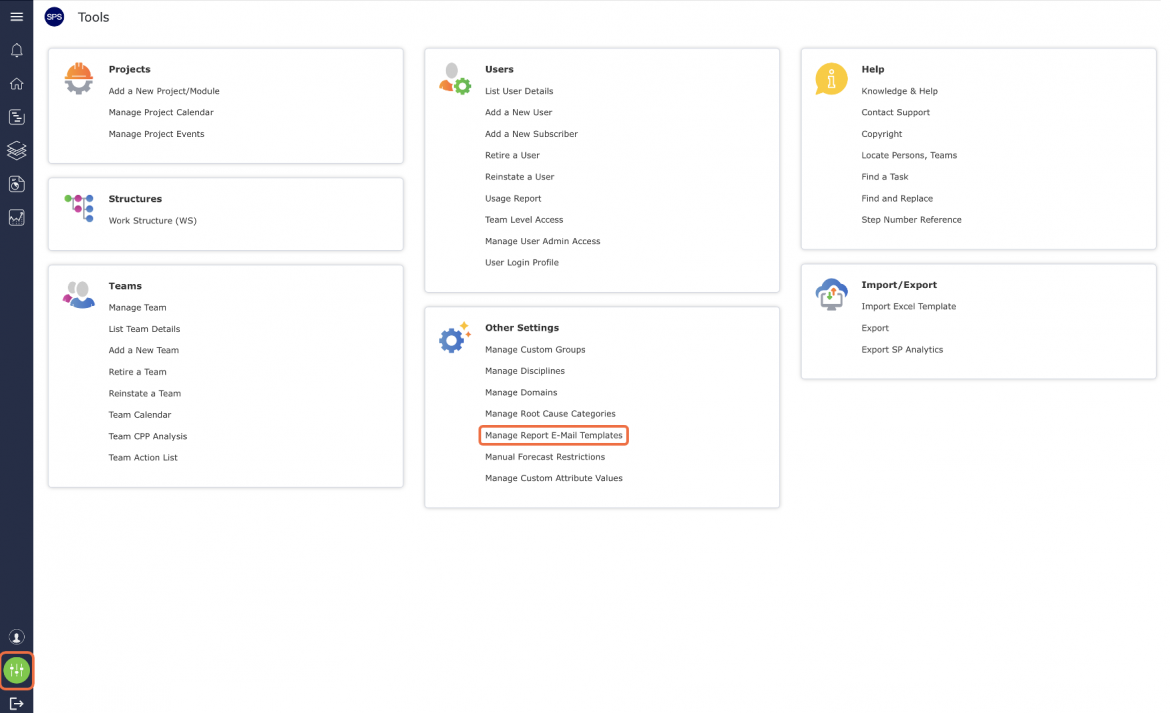
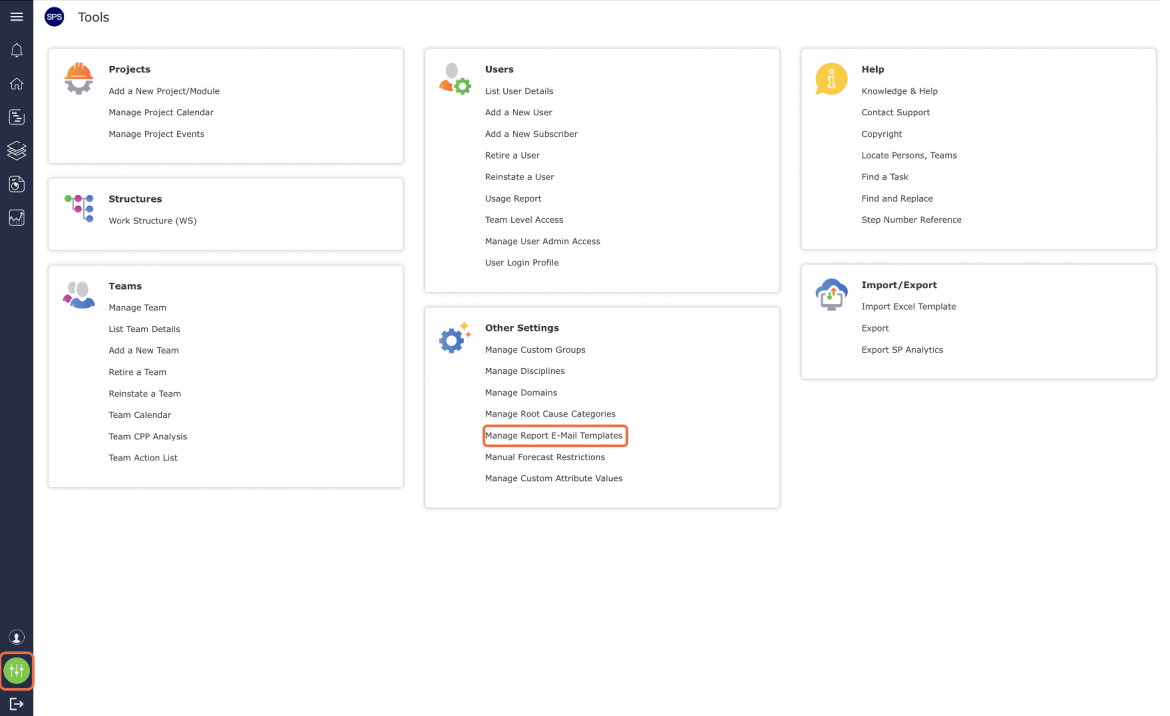
- From the Main Navigation Bar select Tools, then select Manage Report E-Mail Templates.
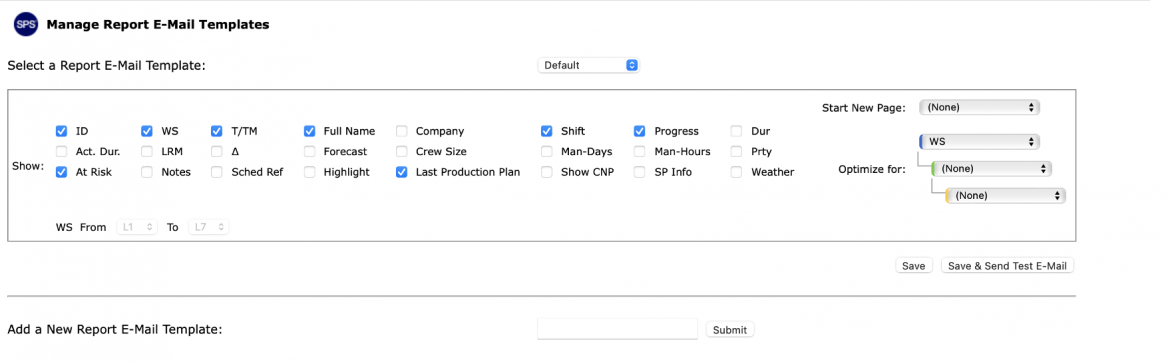
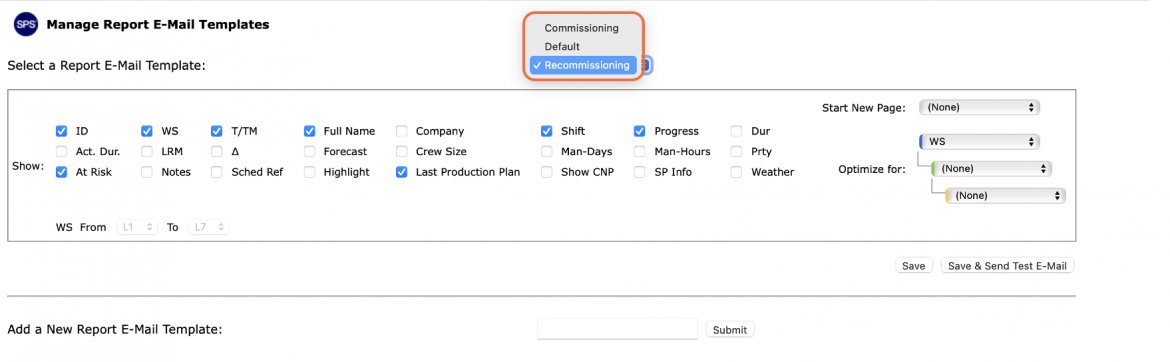
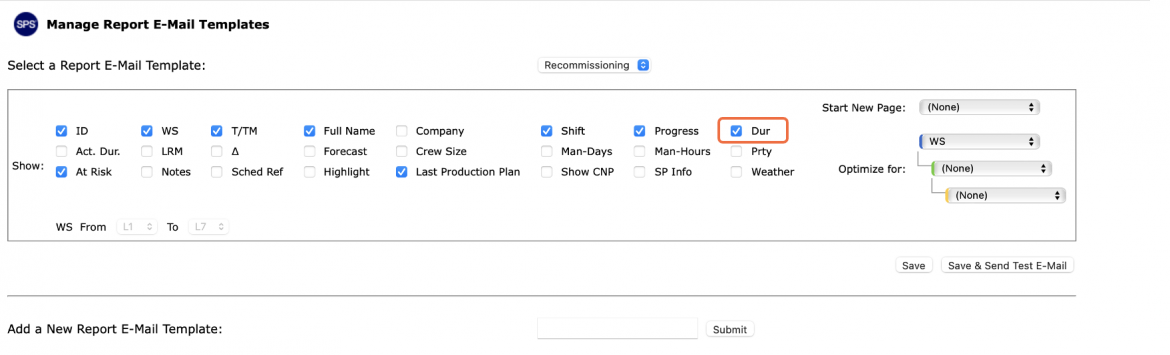
- The Manage Report E-Mail Templates window opens and displays the attributes for the selected e-mail template along with the option for creating a new template.
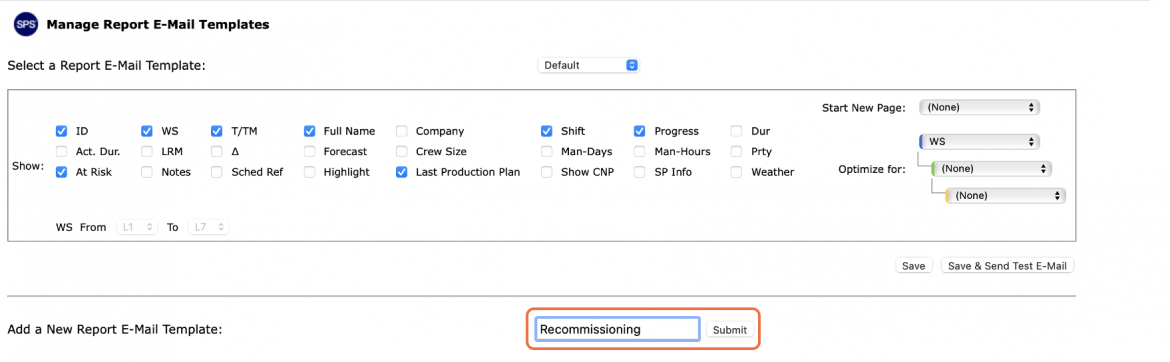
- To add a new template, enter the desired title for the new template and click the Submit button.
- The new e-mail template will then be displayed in the Report E-Mail Template drop-down. To select attributes for the e-mail template, continue with the section below.
Modify Report E-Mail Template
To modify the attributes associated with an e-mail template in SPS|PM, complete the steps below:
- From the Main Menu select the Name Menu, then select Manage Report E-Mail Templates.
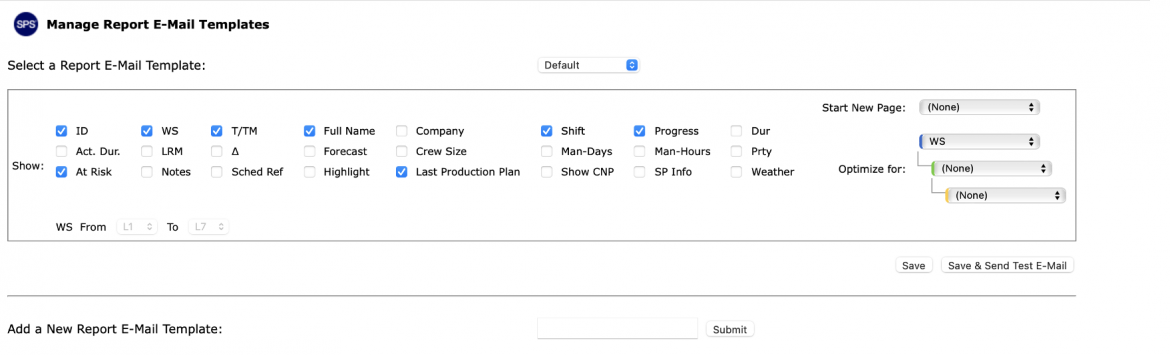
- Manage Report E-Mail Templates opens in a new window and displays the attributes for the selected e-mail template along with the option for creating a new template.
- To modify the attributes, select the desired e-mail template from the drop-down, if not already selected.
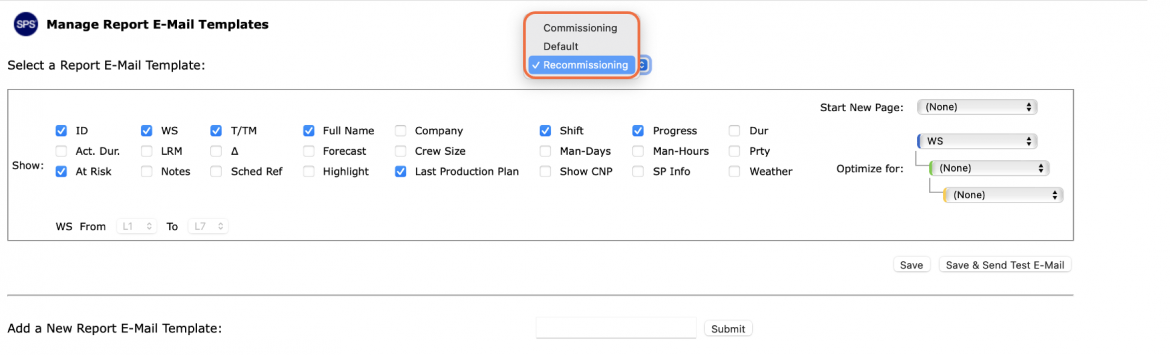
- Select the desired attributes to display on the system-generated Production Plan Report by clicking the attributes’ checkboxes and then click the Submit button.
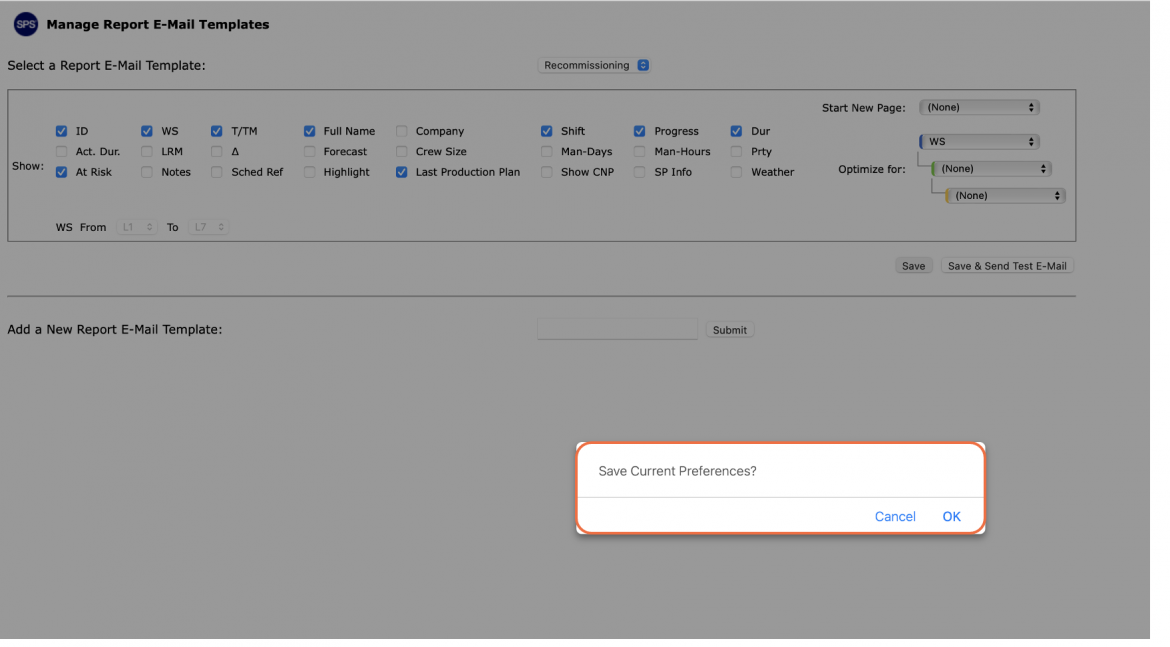
- In the confirmation pop-up, click the OK button to commit the changes or the Cancel button to reject the changes.
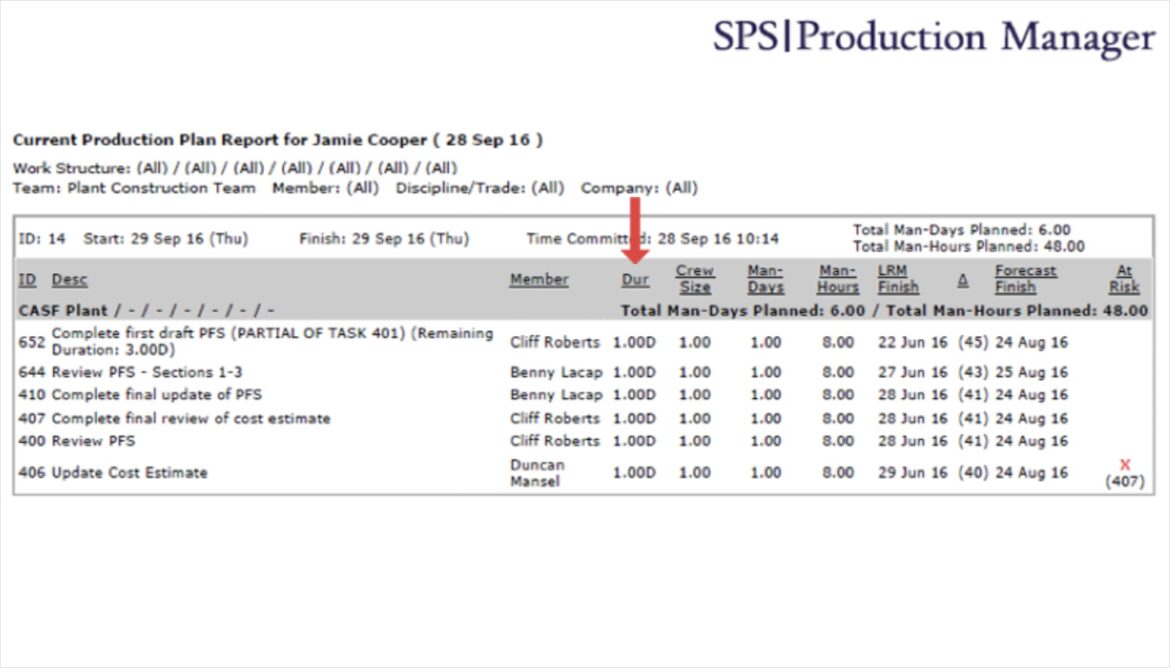
- The new settings are applied. When a Production Plan is committed, the template attributes will display on the Production Plan Report that SPS|PM auto-emails to team members and subscribers.
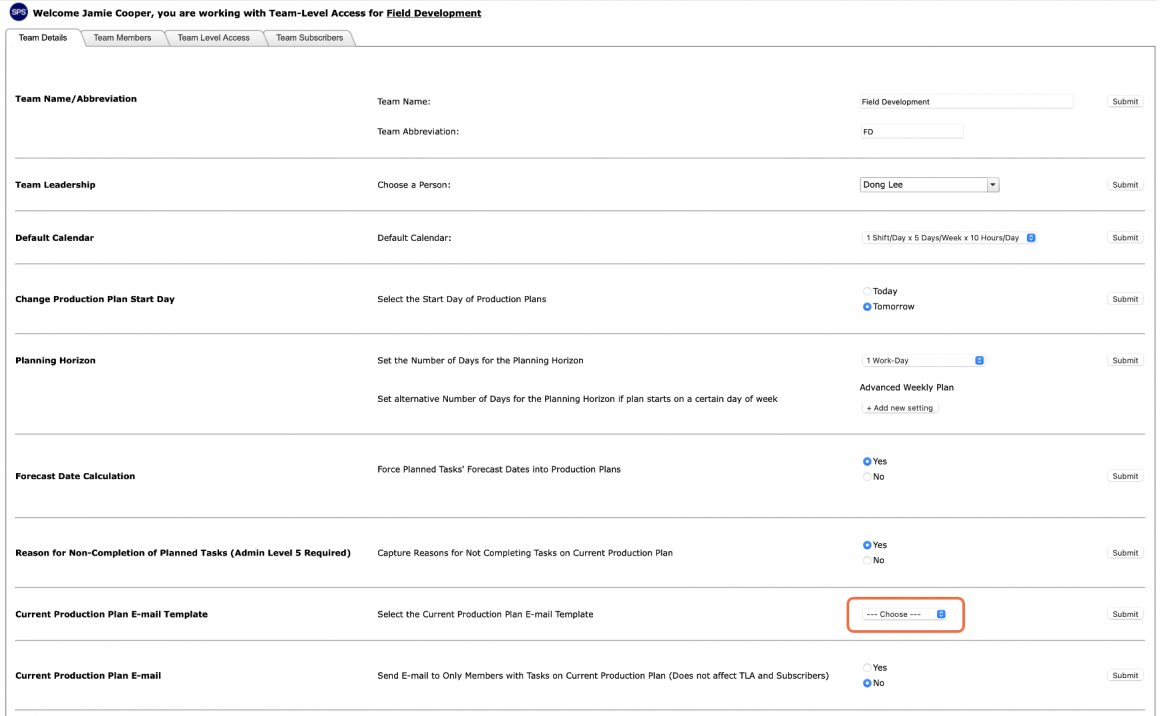
- When a new team is created in SPS|PM, the default template setting is: Default, as shown in the image below. This is how the e-mail template is linked in SPS|PM and it can be changed as needed based on the work of the team. In addition to the team level, the template setting can also be configured on the member level. For more information, see Team Management.