
A Milestone / Task is created using the same steps and attributes. Unlike a task, however, a Milestone represents the end of a workflow and does not have any successor tasks. Any Milestone can be turned into a task by specifying another task as its successor. However, this linking is prohibited for a Master Level Milestone as it represents the end of a workflow. It has no successor tasks and serves as the basis for determining Last Responsible Moment (LRM) dates for a workflow.
To create a new Production Schedule in the Lookahead (Gantt Chart) view, start by inserting a Milestone followed by inserting constraint tasks (see section Insert a Constraint Task). If you are revising an existing Production Schedule, you may also need to insert a new Milestone / Task.
To create a Milestone / Task from the Lookahead (Gantt Chart) view complete the steps below:
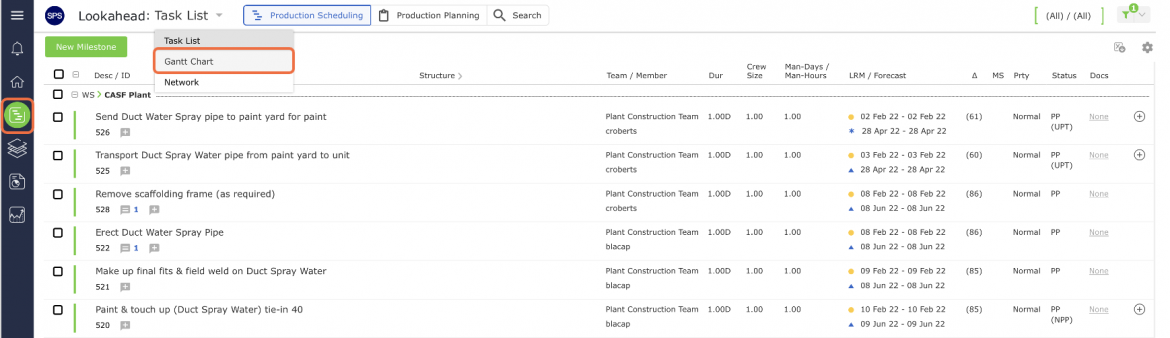
- From the Main Navigation Bar select Lookahead, then select Gantt Chart from the Lookahead drop-down list.
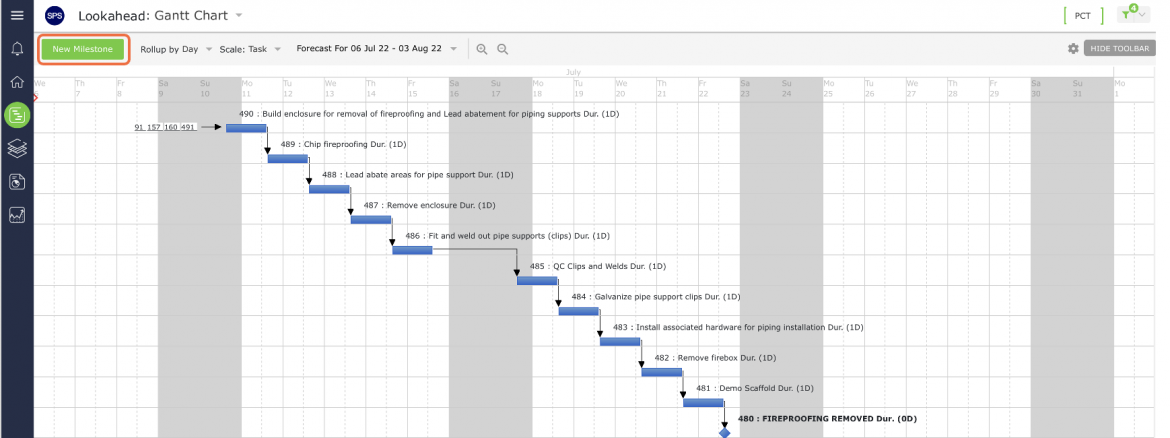
- Click the Insert New Milestone control.
- The Insert a New Milestone window will open.
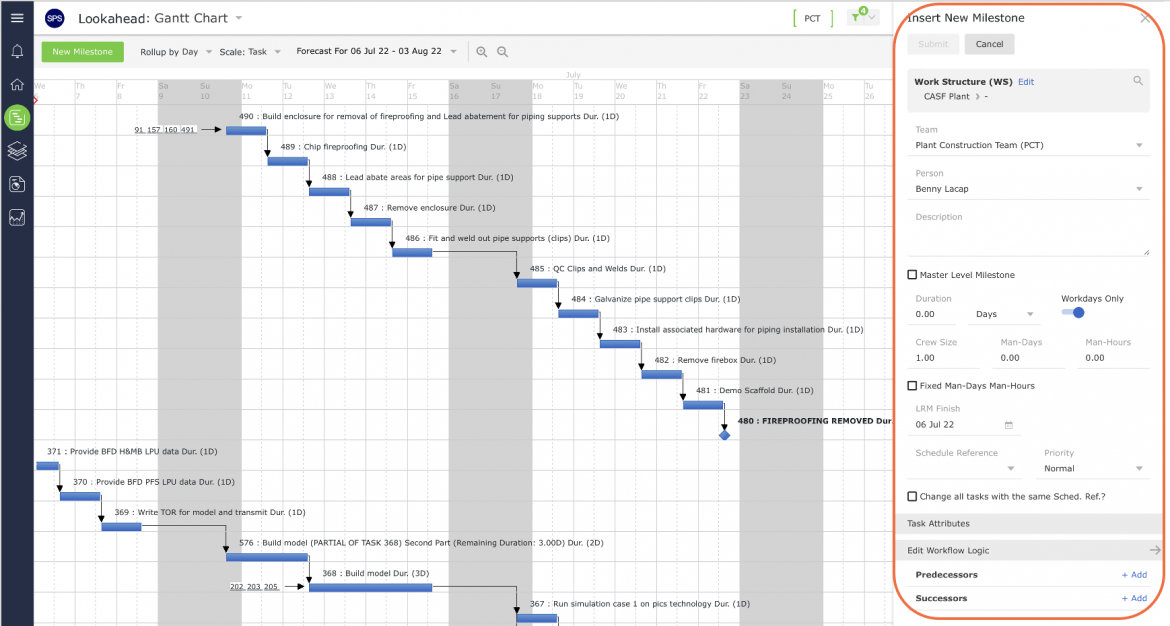
- In the Insert a New Milestone window, enter the Milestone / Task attributes using the guidelines in the table below. If the milestone is a Major Milestone that will be used to measure progress in the Analytics reports, check the corresponding box (Master Level Milestone).
| Parameter | Description |
|---|---|
| Work Structures | Select values for 1-7 of the Work Structures according to the defined Work Structures for your specific project |
| Team / Member | Team and members who will own and complete the task |
| Task Description | Start the description of the task activity with a verb such as ‘Install’, ‘Develop’, ‘Formulate’, ‘Fabricate’, ‘Approve’, etc. Task descriptions should be specific and a measurable quantity, no greater than the Planning Horizon (e.g., one day, one week, etc.) Level of detail should represent measurable hand-off to the successor activity |
| Duration | Proposed time task will take to complete |
| Forecast Start | Default is based on a ‘Continuous’ Workflow; other options are used when tasks need to start at a different point than anticipated |
| Schedule Reference | Displays the reference to the milestone the task is constraining |
| Priority | Default set as ‘Normal’, other options include ‘Low’ and ‘High’ |
| Workdays Only | Check ‘Workdays Only’ if the task will only be completed during the work week |
- When finished entering the Milestone / Task attributes, click the Submit button. The Milestone / Task will appear in the Lookahead (Gantt Chart) view.