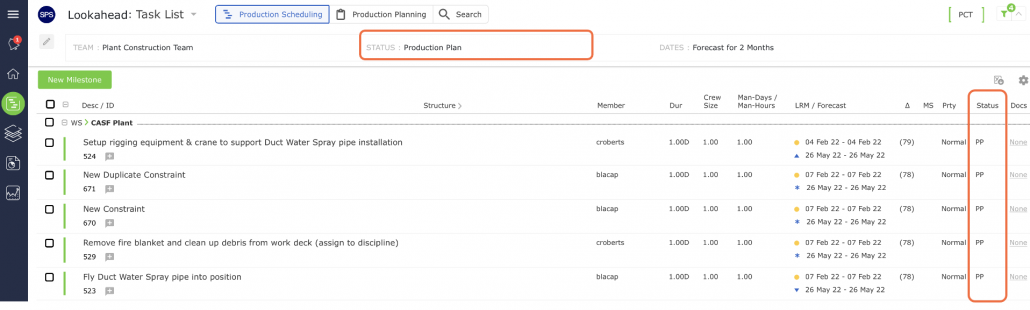
A task becomes a Planned task when it is loaded on a Production Plan. By definition, this task must have been either Released or Released-At-Risk prior to being loaded on the Production Plan. Once the task is loaded on the Plan, the status automatically changes from Released (or Released-At-Risk) to Production Plan.
A planned task shows PP in the Status column, indicating it is on the Current Production Plan, or PP (NPP) indicating it is on the Next Production Plan. As this task was either Released or Released-At-Risk, the task entry is displayed in green text as shown in the image below.