
At any point in time, the status of a task is determined based on its dependencies, on the state of completion of its predecessors, and on the state of completion of the task itself. Task status is important because it assists you in determining which tasks to schedule and complete during a given Planning Horizon. By assigning each task a status, SPS|PM identifies those tasks which are ready to begin and those which require additional inputs. Those inputs can take the form of prerequisite work, information, directives, materials, etc. Task status also allows distributed individuals across the project to be aware of the state of completion or readiness of any task at any point in time.
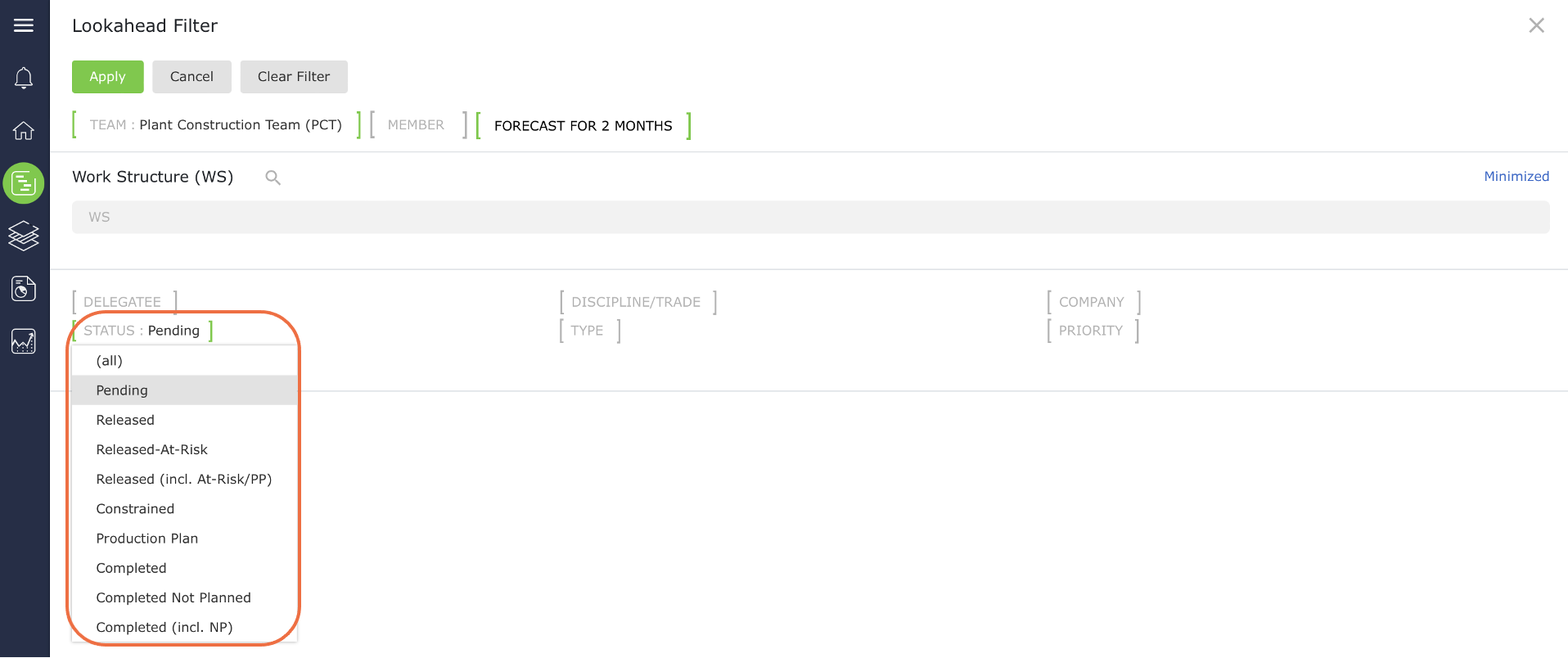
Each task will always be classified as one of the following: Constrained, Released, Released-At-Risk, Planned, Completed, or Completed Not Planned. A task status filter is part of the Lookahead as shown in the image below.
Pending
Any task that is not Completed or Completed Not Planned is categorized as in a Pending status. This includes all...
Constrained
A task is constrained when one or more predecessor tasks are not yet completed. Since all predecessors are not completed,...
Released
A task is released when all predecessor tasks are completed. In SPS|PM, a task’s status automatically changes from Constrained to...
Released-At-Risk
A task is Released-At-Risk when all non-completed predecessor tasks are either loaded on the Next Production Plan, or committed to...
Planned (Production Plan)
A task becomes a Planned task when it is loaded on a Production Plan. By definition, this task must have...
Completed
A task should only be considered completed when all work relating to the task has been completed and all task...
Completed Not Planned
A task is Completed Not Planned when all work related to the task has been completed, but the task was...