
Standard Processes guide the daily and weekly activities to be executed by teams. A high-level analysis of the standard processes being used by teams grants the understanding of the usage as well as a comparison of planned / actual durations.
Standard Process Usage enables teams to quickly realize if the processes were designed to reduce variability and optimize resources. If it is not optimal, the team should further analyze the standard processes through the Standard Process Analysis as part of Performance Improvement.
To access Standard Process Usage, complete the steps below:
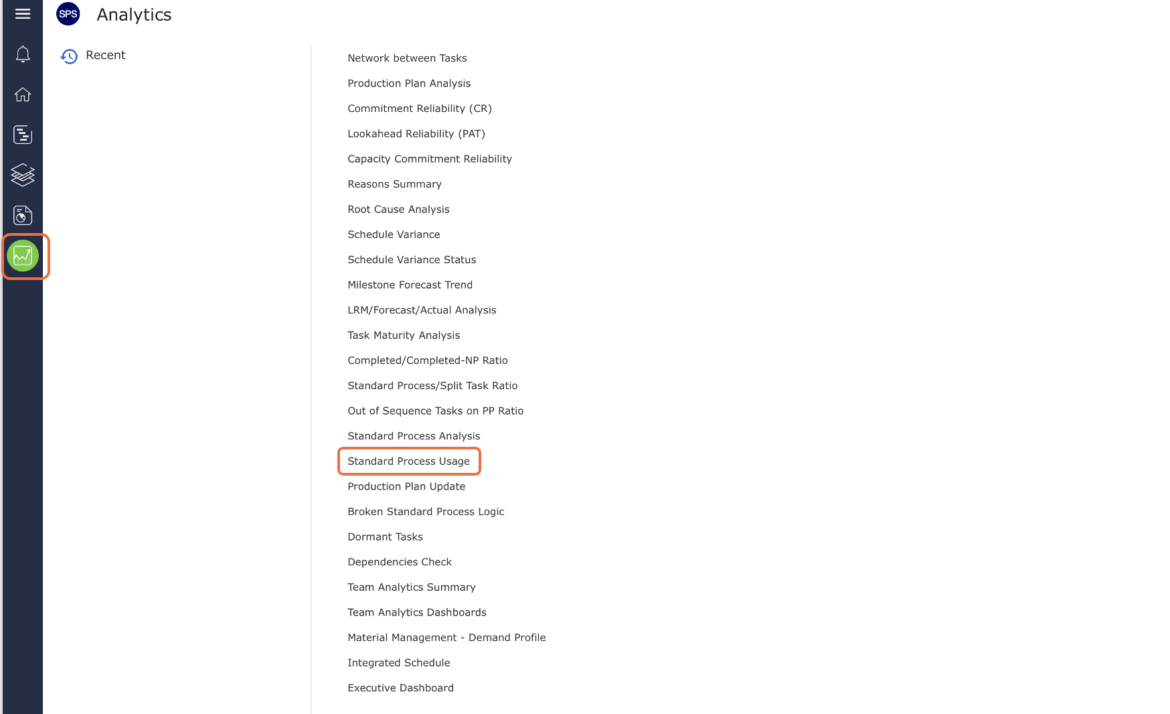
- From the Main Naviagation Bar, select Analytics, then select Standard Process Usage.
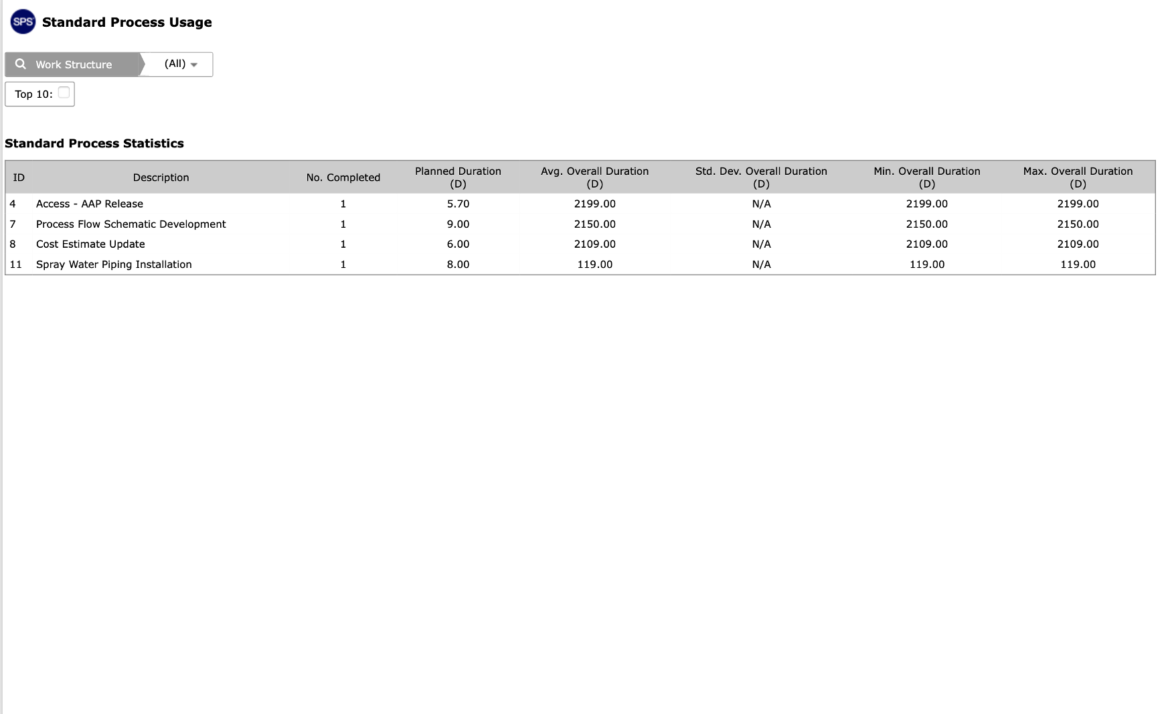
- Standard Process Usage opens in a new window.
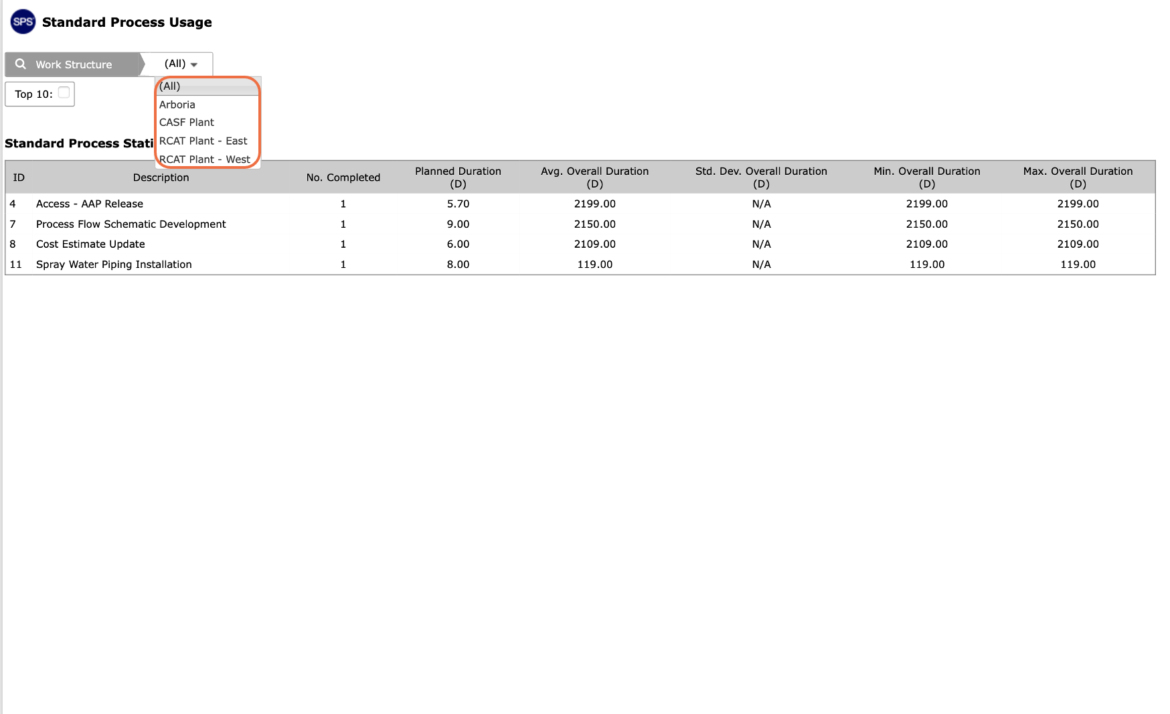
- To filter for a specific set of standard processes used, select the Work Structure drop down.
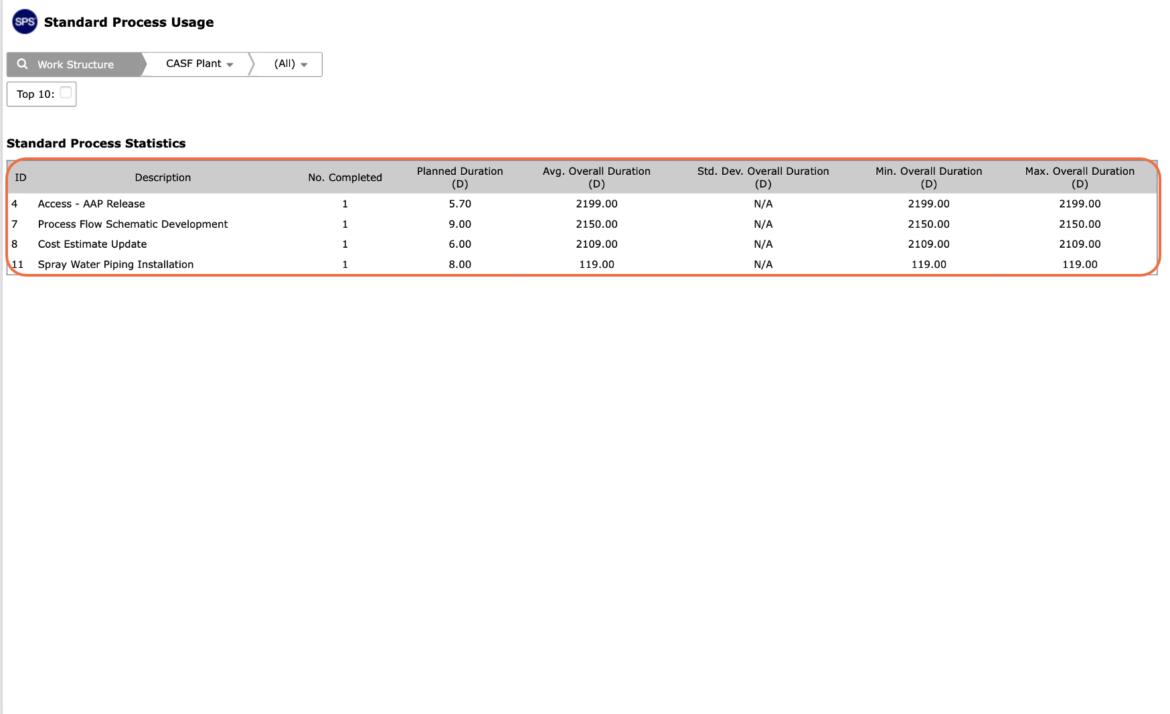
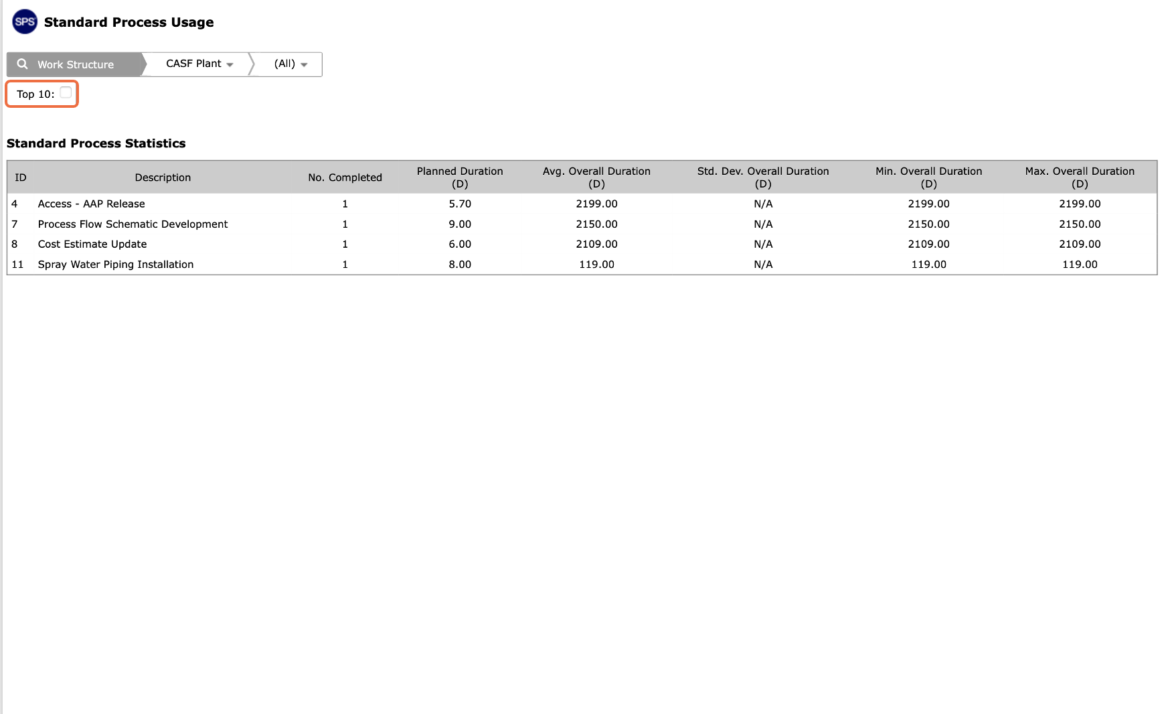
- The Standard Process Statistics table introduces a high-level analysis of the usage of the standard process including how many times the process was completed, compares the standard process duration or planned duration with the average duration based on actual execution, as well as provides the standard deviation with min / max values.
- To reduce the data set, select Top 10 checkbox to view only the 10 most completed process.
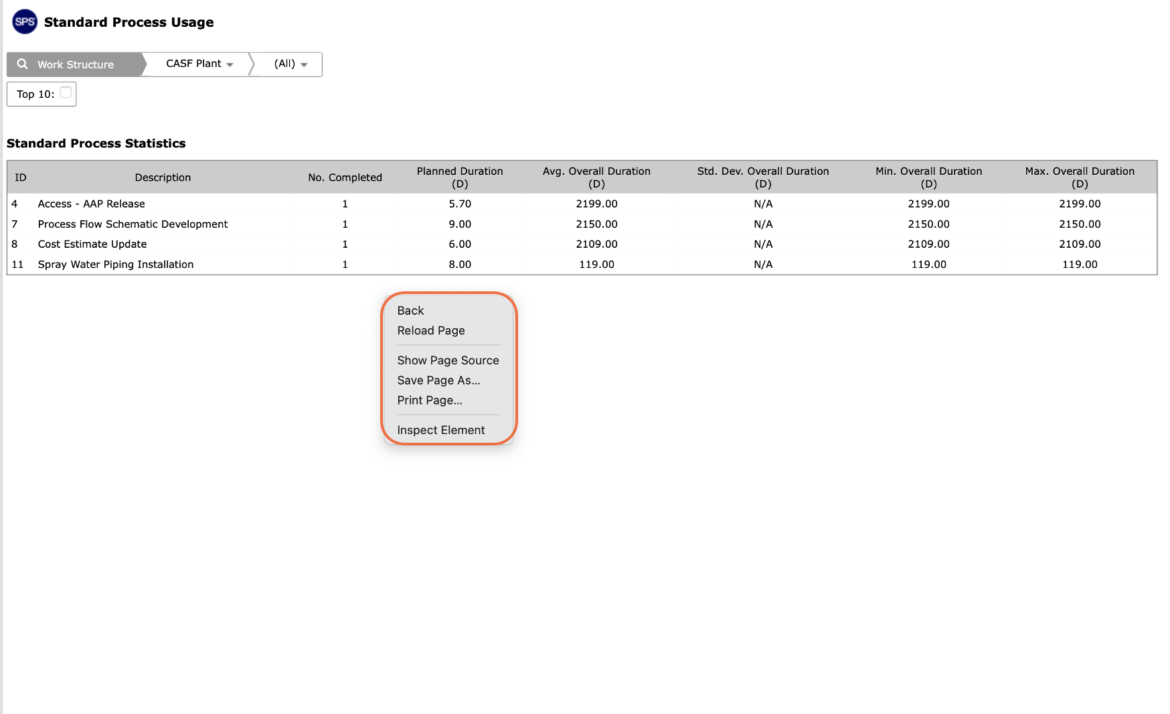
- To print Standard Process Usage, options may differ based on your browser. For instance, if you are using Internet Explorer, right click in a white space of the screen and select Print from the menu or simultaneously press the Ctrl and P keys on your keyboard.
- The Print Dialogue box opens.
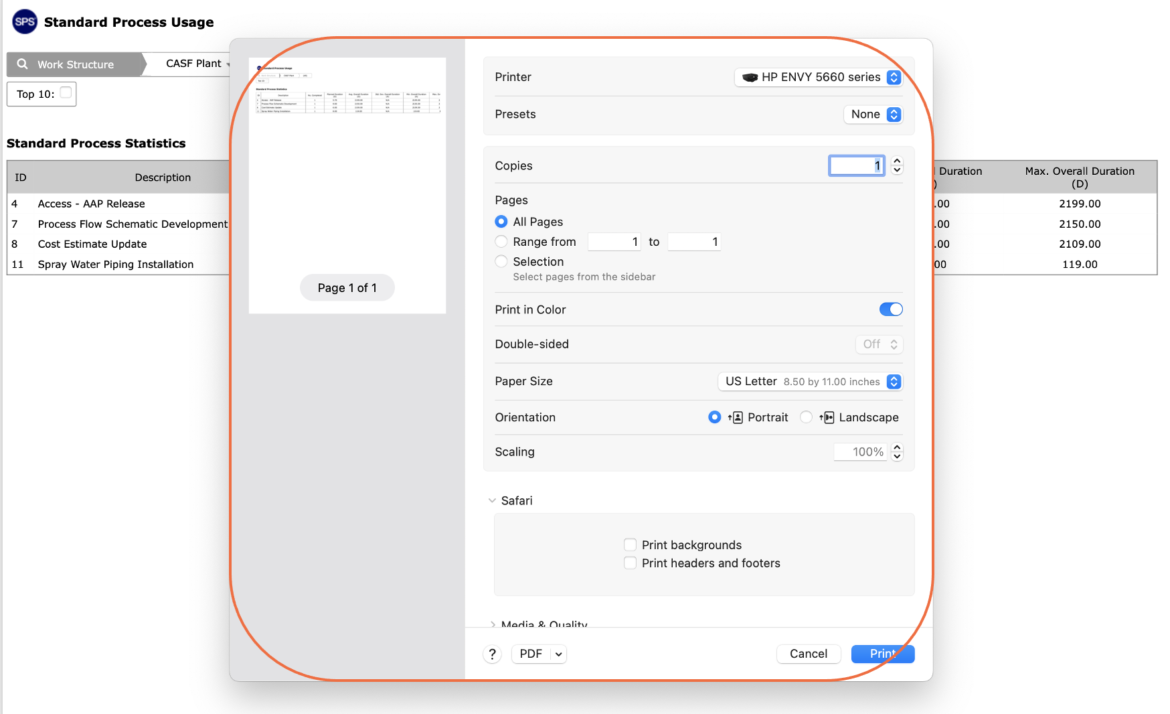
- Using the Print Dialogue box, change any desired print settings. Once all relevant printing settings have been modified, click the Print button.
Note: Before printing, it is recommended you confirm the fit to the desired paper size.