
It can be advantageous and / or necessary to create a copy of an existing standard process such as in a situation where a legacy process is being used as the basis for a new process as a result of optimization. Also, a team may desire to model a process before finalizing it, in which case using the duplicate for the model is of value. Once you create a standard process in SPS|PM, anyone with admin level 2 or greater may duplicate the process.
To duplicate an existing standard process, complete the steps below:
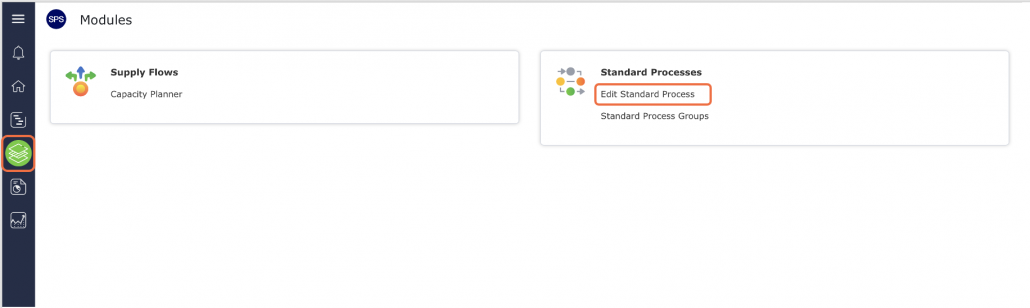
- From the Main Navigation Bar select Modules, then select Edit Standard Process.
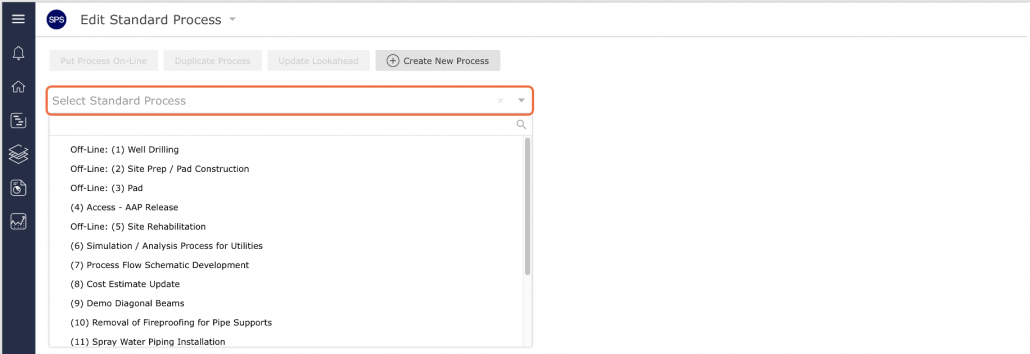
- In the Edit Standard Process view, locate the standard process you wish to duplicate from the Edit Existing Standard Process drop-down.
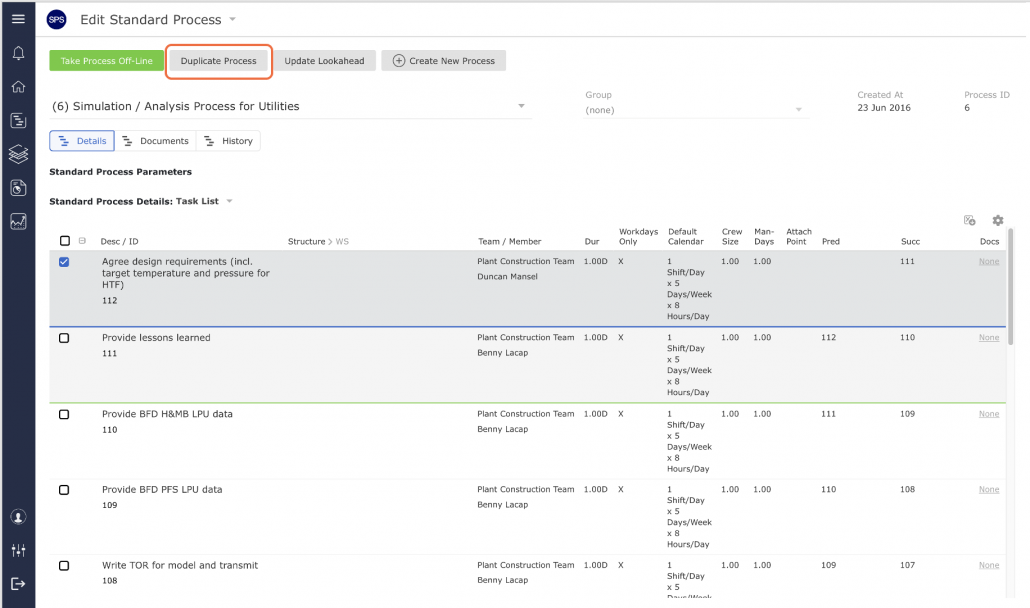
- Click the Duplicate Selected Standard Process button. SPS|PM then appends the process title that appears in the Selected Standard Process region with “Copy of …”
- Change the process title in the Name field following the project’s agreed-upon nomenclature. Consistency in naming standard processes is important to facilitate identification when using and editing standard processes in the future; projects can easily have more than a hundred standard processes.
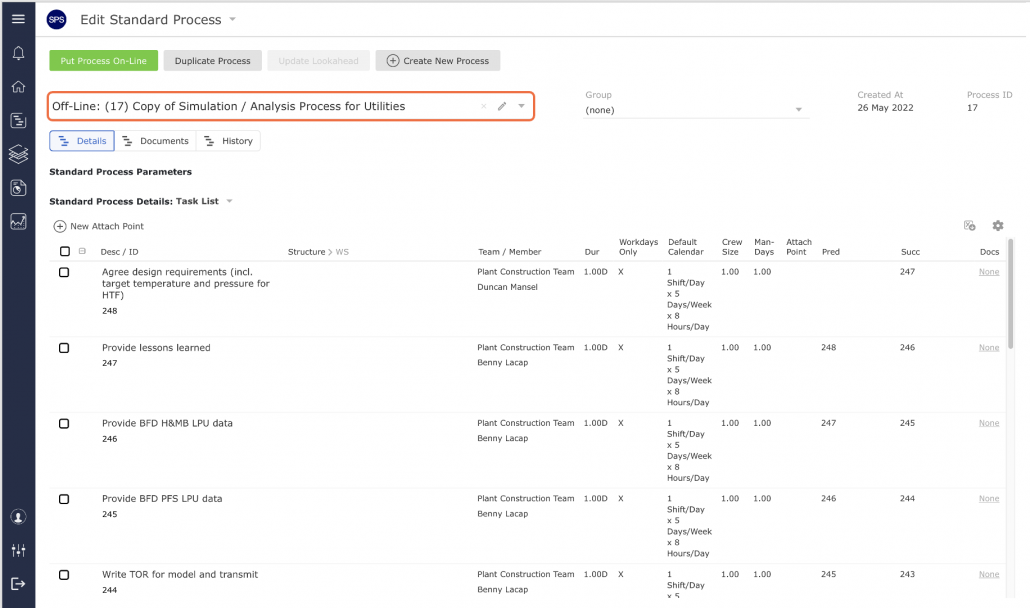
- Click the Update button and the new title appears in the Name field. Remember to put the process on-line, as described in Take Process Off-line / Put Process On-Line, in order for it to be inserted into the Lookahead.
