
The Standard Process Edit view allows you to create, edit or duplicate a standard process. SPS|PM admin level 2 or greater is required to perform these actions.
To access the Standard Process Edit view, complete the steps below:
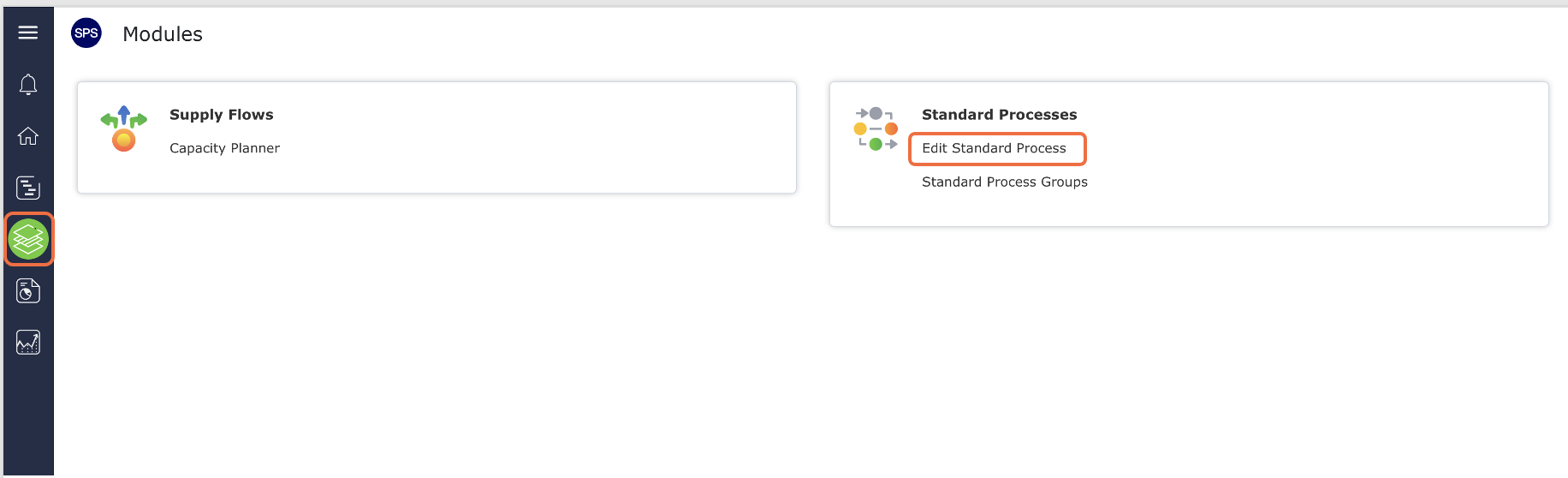
From the Main Navigation Bar select Modules, then select Edit Standard Process.
Create New Standard Process – Edit View
To create a new standard process in the Standard Process Edit view, complete the steps below: From the Main Navigation...
Edit Existing Standard Process
Once you create a standard process in SPS|PM, anyone with admin level 2 or above may access the Library and...
Duplicate Existing Standard Process
It can be advantageous and / or necessary to create a copy of an existing standard process such as in...
Take Process Off-line / Put Process On-Line
The state of a process impacts the actions that can be taken with it. In order to edit the process,...