
The ability to access records of how work was committed, completed, and / or not completed over time is important for data analysis including progress control. To enable this, Archived Production Plans report provides access to a historical record of all Production Plans that have been committed and closed out in SPS|PM. For each Archived Production Plan, the ability to filter for specific data attributes is enabled.
To access the Archived Production Plans report, complete the steps below:
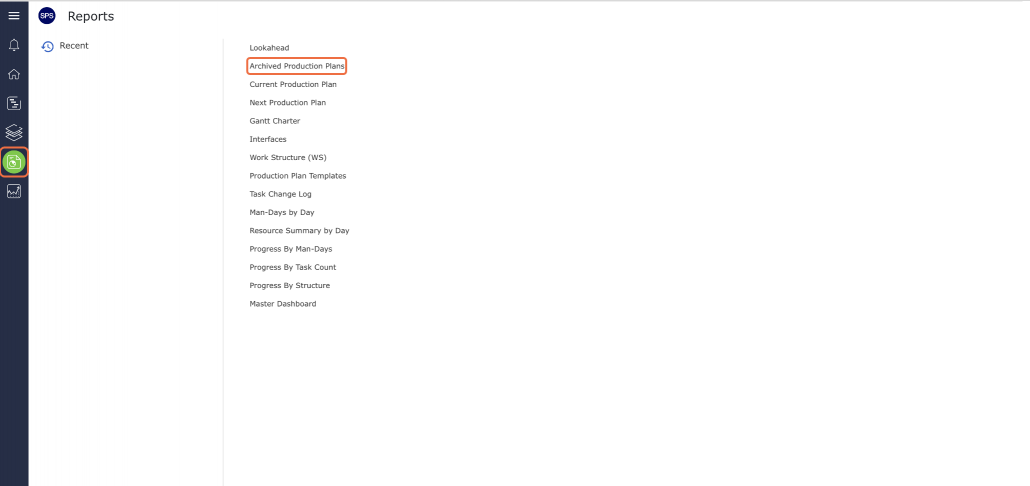
- From the Main Navigation Bar select the Reports, then select Archived Production Plans.
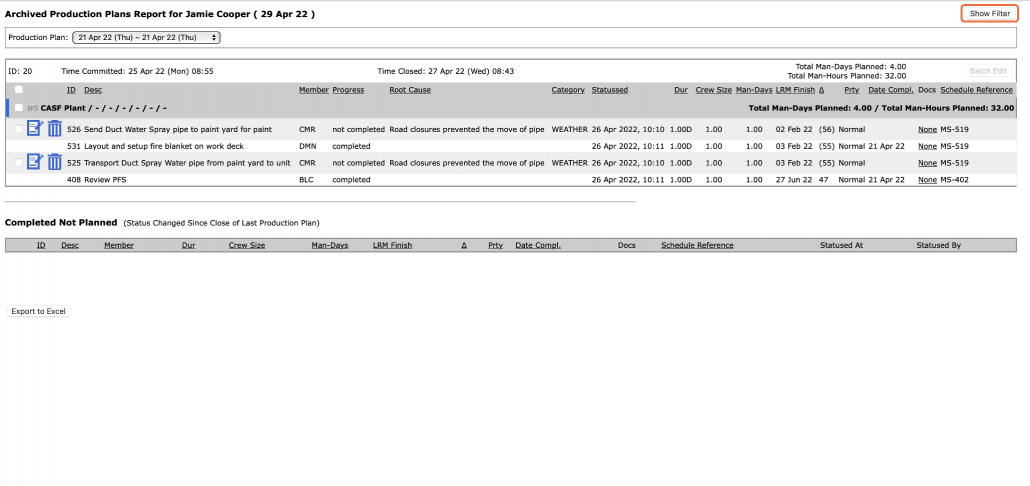
- The Archived Production Plans report opens in a new window and automatically displays the Archived Production Plan for the team selected under the Team Menu. Click the Show / Hide Filter button to display or hide the filters above the report.
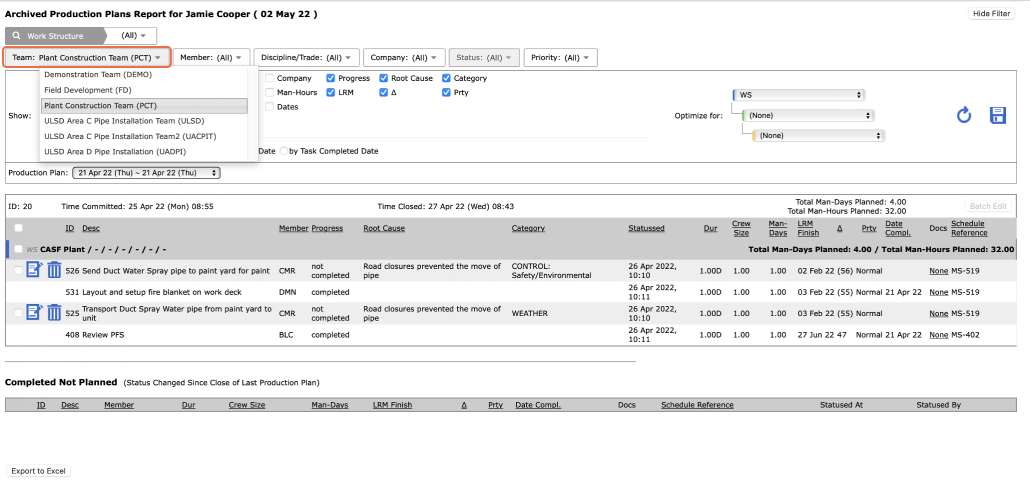
- To view an Archived Production Plan for another team, select the desired team name in the Team drop-down.
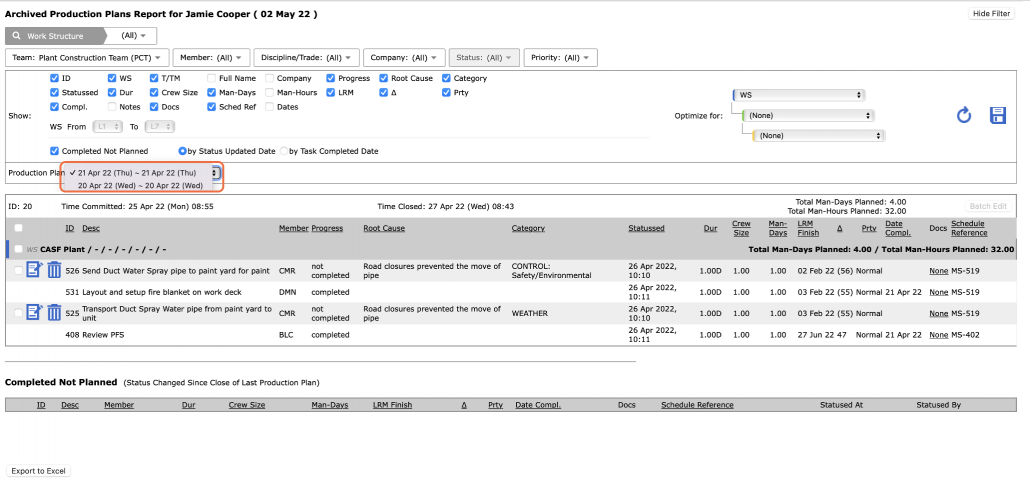
- Once the correct team is selected, choose the desired Archived Production Plan from the Production Plan drop-down, based on the start and end dates for the Production Plan.
- Once the desired Archived Production Plan is selected, select Work Structure, Member, Milestone / Task Status and any other attributes to filter for the desired data.
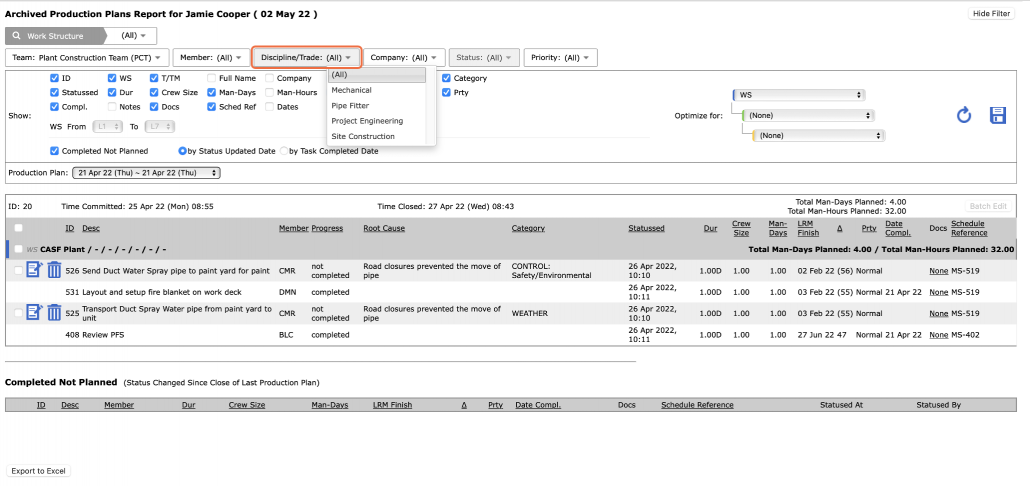
- Sort the data by clicking on any of the underlined column headings according to the structure and attribute values selected in the Optimize for drop-down list. Alternatively, to unlock the use of predefined structures and attributes, in the Optimize for drop-down select “(None).” This allows clicking on any column heading to sort in ascending order, and click a second time to reverse the sort.
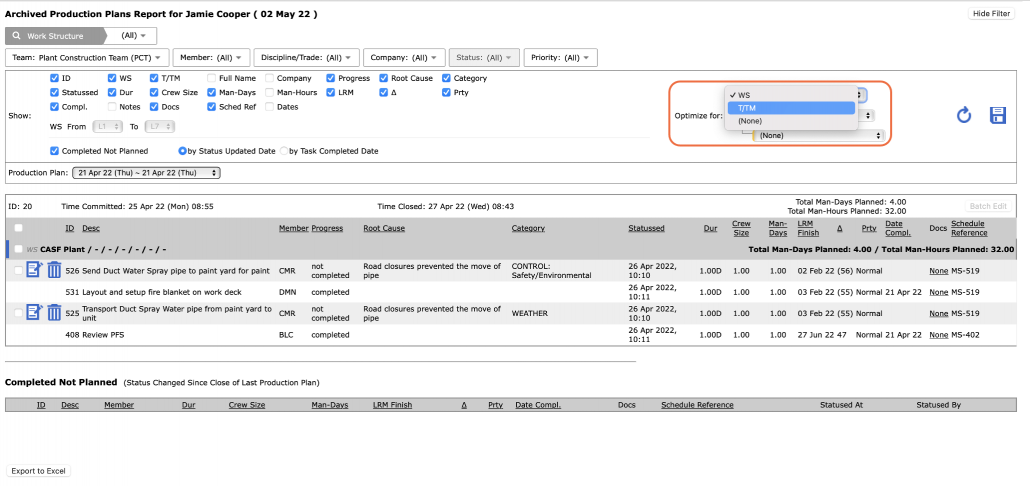
- Using the Archived Production Plans report, you can identify whether any Milestone / Task on the Plan was completed / not completed by looking at the entry in the Progress column. You can also identify the date that a task status was updated from the entry in the “Statussed” column and the date a task was completed by looking at the Date Compl. column.
As with other reports, no editing of tasks is possible on the Archived Production Plans report, simply the ability to view, filter and print. All editing must be performed in the Lookahead view, Lookahead (Gantt Chart) view, Gantt Charter view or Lookahead (Network Manager) view
See Print Archived (Past) Production Plans for instructions on how to print the Archived Production Plans report.
To correct or edit Root Cause information for non-completed Milestone / Task on a closed Production Plan, see Correct / Edit Root Cause Information for Non-Completed Tasks on Closed Production Plans.
Note: Only individuals with Team-level Access can edit Root Cause information.